





Buro Waalbrug accelerates urban development plans using SketchUp and 3D-Omgeving.nl
Find out how Buro Waalbrug no longer wastes days on background work and moves more quickly from sketch to 3D plan.

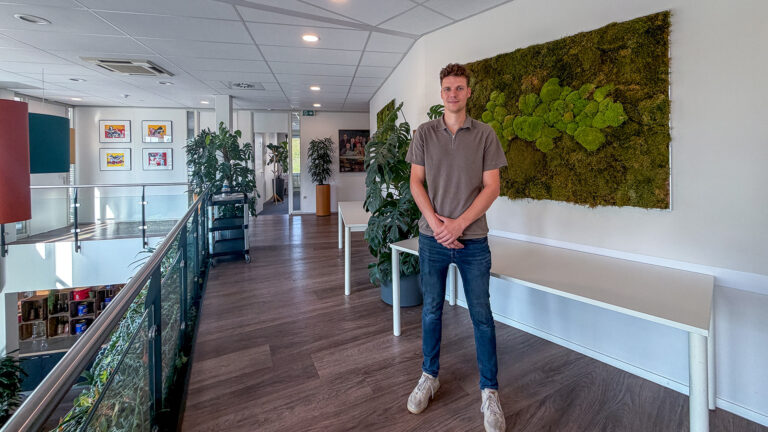
Half a day and sometimes even a full day. That was how long urban designer Rick van der Burgt used to spend modelling the context and base terrain for a single project in SketchUp. Nowadays, he jumps straight into the design phase, saving half a day to a day on every project. This is thanks to 3D-Omgeving.nl, which provides turnkey 3D contextual environments for any site across the Netherlands. Read on to discover how Buro Waalbrug leverages 3D-Omgeving.nl, SketchUp, and AI visualisation with Chaos Veras.
Who is Rick van der Burgt?
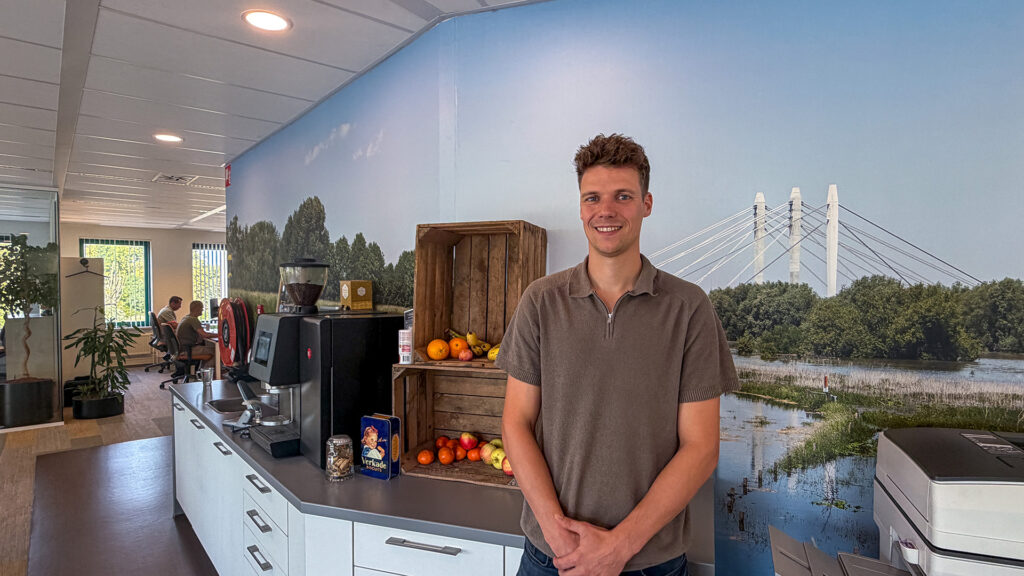
Rick is an urban designer at Buro Waalbrug in Beuningen. He studied Construction Management and Real Estate at Avans University of Applied Sciences in Tilburg, specialising in urban design during his final two years. After gaining more than six years of experience at other urban design consultancies, he joined Buro Waalbrug in May 2022.
His scope of work is diverse: urban visions, sketch proposals, outline and detailed design schemes, public realm and layout plans, subdivision layouts, design codes, and landscape integration plans. What drives him? Developing a design to the point where it can actually be built.
Buro Waalbrug: urban design from project inception to statutory local plan
Buro Waalbrug is an urban planning and design consultancy and part of the Van Kessel Group. Its teams of urban designers, landscape architects, and spatial planners collaborate on end-to-end schemes: from project inception through to—nowadays—amendments to the statutory local plan, including public realm design. Within the group, Buro Waalbrug focuses primarily on the inception and feasibility phase.
The practice is currently heavily engaged with the Environment and Planning Act (Omgevingswet), working on new local plans for the municipality of West Maas en Waal (including Beneden-Leeuwen, Dreumel, and other villages along the River Waal). To this end, the team is mapping statutory regulations, establishing what a local plan entails in practice, and determining the implications for spatial geometry. Rick himself is closely involved in this work.
What does Buro Waalbrug use SketchUp for?
Three urban designers and an intern use SketchUp on a daily basis, with the landscape architect frequently joining the workflow. The software supports the team in three key areas:
- Site analysis and spatial inventory
- Developing design options and massing studies
- Visualising proposals for clients and local authorities
“We always start in 2D,” Rick explains. “After that, we want to get a spatial, three-dimensional feel for the site: what is feasible in this location, and how does it integrate into its surroundings? That 3D model is initially for internal review, but ultimately becomes a powerful tool for presenting schemes to clients.”
What is 3D-Omgeving.nl?
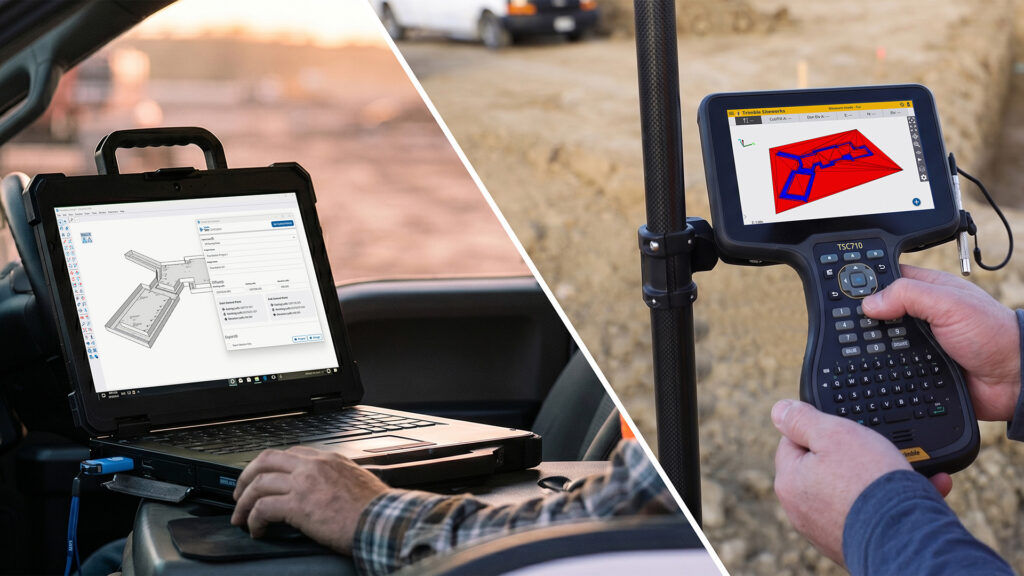
3D-Omgeving.nl delivers turnkey 3D map layers for any location across the Netherlands in formats including SketchUp, Archicad, Revit, and IFC, powered by open geospatial datasets such as BAG, BGT, AHN, and the Land Registry (Kadaster). In addition, services including point clouds, 3D underground utility data (KLIC), and alignment workflows for drone surveys and BIM models are available. As a result, designers no longer need to model the site context from scratch. Over the past year alone, more than 200 projects across the Netherlands have already been supplied with a 3D environment.
From half a day of fiddling to designing right away
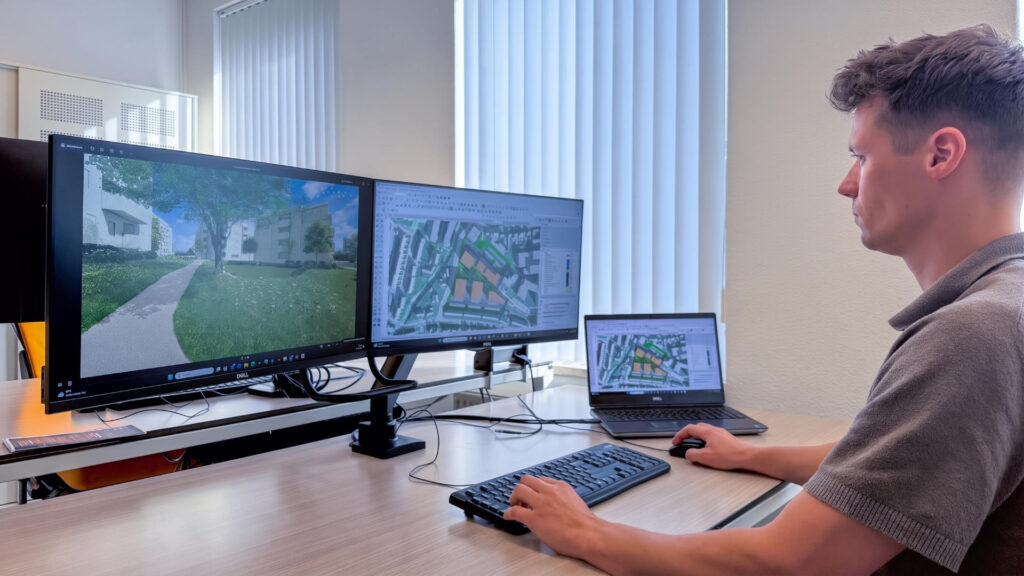
For Rick, the greatest gain lies in the time saved. “Previously, we only had a 2D line drawing from the BGT (Key Register Large-Scale Topography). I used to manually generate surfaces in SketchUp, trace over the lines, and clean up the geometry just to separate the road, pavement, and plot.” Occasionally, he would download a tile from 3DBAG, only to find the site boundary straddled multiple tiles, forcing him to stitch two or three together. “I used to lose anywhere from half a day to a full day just building the base terrain and site context.”
Now, Rick relies on 3D-Omgeving.nl as the starting point for every design. Trees, buildings, and terrain elevations are already integrated, complete with height models derived from 3DBAG. The team simply cuts out the development plot from the model and drops their own design into place. The existing site conditions can be assigned to a separate layer or tag, allowing an instant visual comparison between the baseline conditions and the proposed scheme.
I use the model from 3D-Omgeving.nl as the foundation for every design.
The workflow runs as follows:
- The team draws up a bubble diagram and zoning layout in CAD: establishing building footprints, apartment counts, core and circulation locations, and the high-level public realm layout, including parking provision.
- This layout is imported as an underlay into SketchUp, where it aligns seamlessly with the 3D site context.
- The designers extrude the building envelopes and develop the massing studies.
- For presentations, this is followed by a visualisation in either an abstract or photorealistic style.
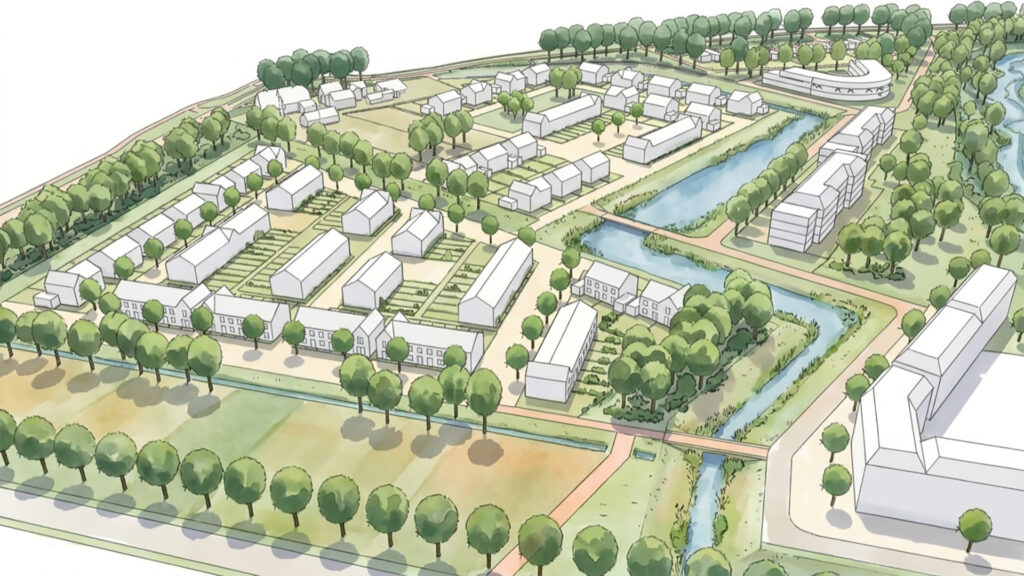
Buro Waalbrug also leverages the 2D basemaps from 3D-Omgeving.nl within Adobe Illustrator and InDesign. Rick adds: “Aerial photography often introduces too much visual clutter and clashes with our graphic style. By using the BGT vector base, the proposed design blends harmoniously into its context, keeping the focus squarely on the scheme itself.”
Padel courts and trees: point clouds in practice
A clear case in point is a non-statutory planning departure (BOPA or buitenplanse omgevingsplanactiviteit) for two new padel courts. Due to the high noise levels generated by padel, canopy enclosures had to be erected overhead. However, these encroached too closely on existing mature trees. Thanks to the point cloud provided by 3D-Omgeving.nl, the team was able to model and inspect the tree canopies in SketchUp with far greater accuracy than would ever be possible using conventional site photographs.
The outcome: “Previously, it was guesswork; now, it’s tangible,” Rick says. “We’ve been discussing this for years, and this is the first concrete, workable result I’ve seen.”
Furthermore, 3D-Omgeving.nl is expanding its portfolio with a dedicated tree data layer. According to 3D-Omgeving.nl, this covers 97% of all trees in the Netherlands, including trunk diameter at breast height (DBH), root protection areas (RPAs), and canopy clearance heights.
Chaos Veras: AI visualisations straight from your SketchUp model
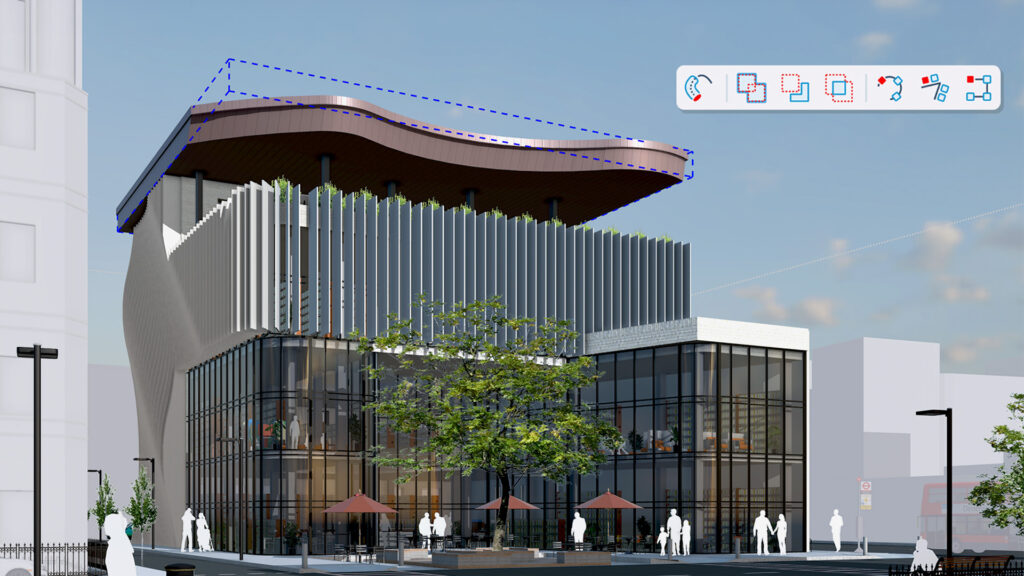
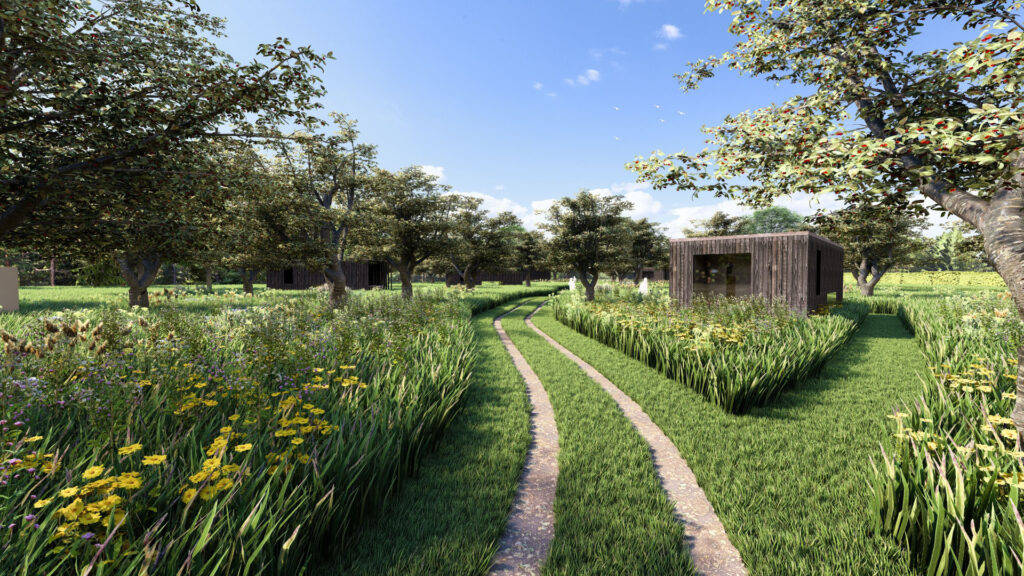
Visualisations were previously produced in-house using Adobe Photoshop and, for a long time, Lumion. Recently, Buro Waalbrug began experimenting with Chaos Veras, generating AI-assisted visualisations directly inside SketchUp. “It works remarkably well,” Rick notes.
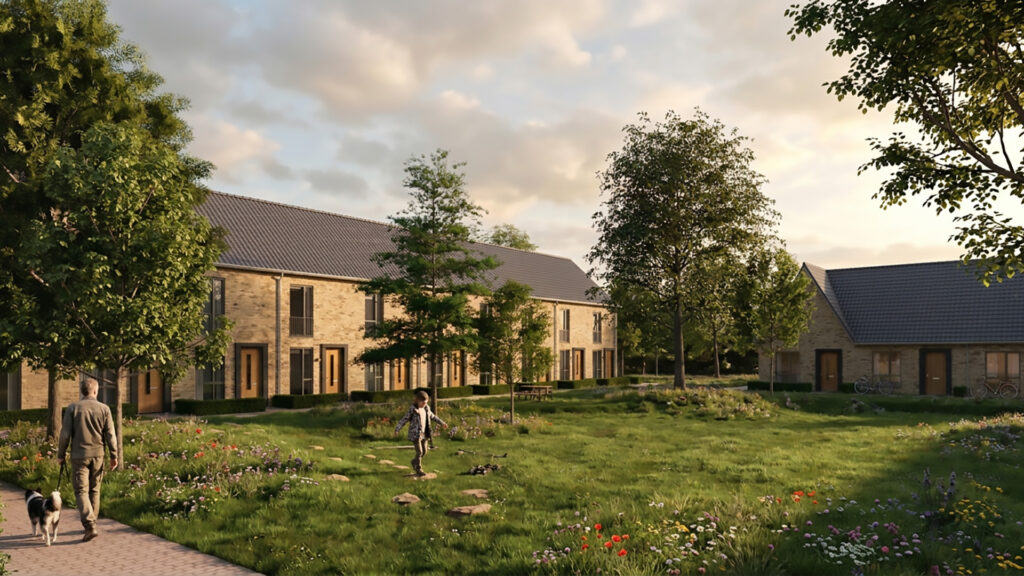
Clients and local authorities are often satisfied with the broad outlines of a scheme, but will request targeted revisions as the design evolves. For generative AI, this presents a real challenge, as a minor tweak can unintentionally alter other areas of the generated visual. To counter this, the team crafts prompts designed to make Chaos Veras function more like a rendering filter than an autonomous generator. A few key takeaways so far:
- Write prompts in English; Rick finds this yields far better results.
- Use an AI assistant to refine prompt phrasing, describing the intent in plain language.
- Keep sentences concise and fragmented.
- State explicitly what must remain unchanged (negative constraints).
- Upload the previous iteration as an image-to-image reference.
The team formulates two distinct types of prompts: conceptual, painterly outputs that retain abstraction, and photorealistic renders. According to Rick, the conceptual visual aligns best with Buro Waalbrug’s typical design phase: an elegant, watercolour-style impression suitable for an early stage proposal. “Spending half a day on a single render is a thing of the past.” Even so, he stays pragmatic: “You don’t have total control with generative AI. It is primarily an excellent exploratory tool for design iterations and material palettes, used alongside conventional workflows.”en prima hulpmiddel voor ontwerpideeën en materiaalkeuzes, naast de klassieke werkwijze.”
Sunlight and overshadowing assessments, geolocation, and Atlas Leefomgeving
When new schemes are brought forward, local authorities and neighbouring residents invariably ask: how will this affect sunlight in my garden? Buro Waalbrug addresses this by carrying out sunlight and overshadowing assessments in line with the Dutch TNO standard, taking snapshots across key dates throughout the year. Thanks to 3D-Omgeving.nl, the team no longer needs to manually model the wider surrounding area. They simply insert basic volumetric massing models into the site context. This allows for rapid modelling and reliable solar calculations.
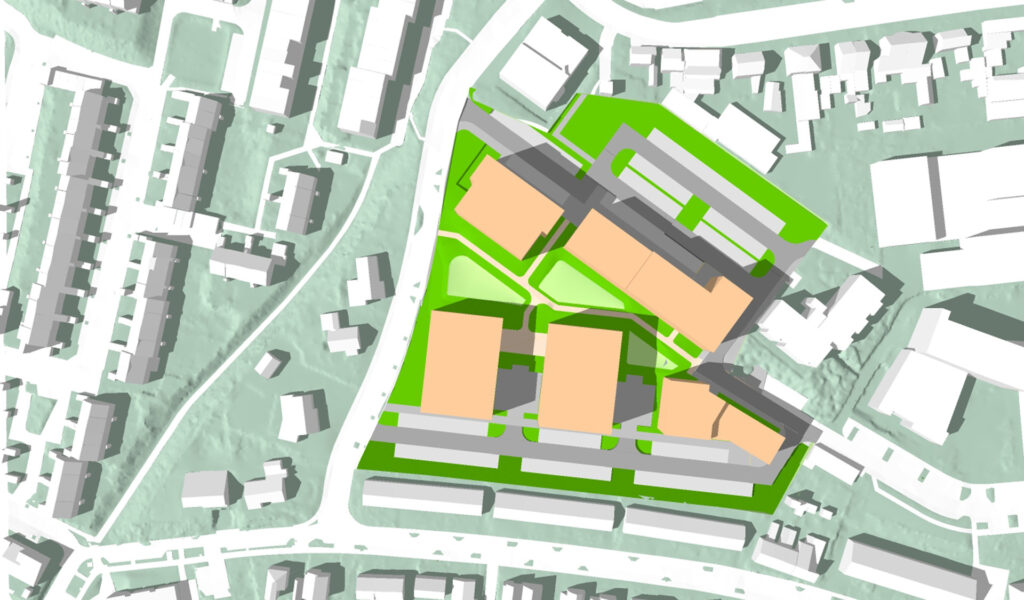
A small detail with a substantial impact: models from 3D-Omgeving.nl are already accurately geolocated and oriented down to the exact degree of true north. This removes the need to manually calibrate the coordinates and solar orientation first—a critical step that is all too easily overlooked during solar studies.
The Atlas Leefomgeving (Living Environment Atlas), comprising around one hundred open-government spatial datasets, is likewise accessible directly within SketchUp via 3D-Omgeving.nl. This includes environmental constraints such as railway noise contours, major hazard risks (externe veiligheid), flood risk zones, and unexploded ordnance (UXO) / explosion risk areas. “This allows you to identify site constraints and statutory conflicts at an early feasibility stage,” Rick explains. “That is essential, because on every scheme, drainage, parking provision, green infrastructure, underground utilities, and housing capacity allocations are competing for the exact same ground. The earlier you spot those clashes, the easier it becomes to resolve the spatial puzzle.”
What is next on the wishlist?
Rick remains keen to innovate. Here are the opportunities he intends to explore next:
- Chaos Enscape: staying within a unified modelling environment and leveraging Enscape materials as baseline references for Chaos Veras—replacing the Lumion workflow, which typically requires exporting to a standalone application.
- Trimble Scan Essentials for SketchUp: incorporating point clouds directly within the active model workspace, complete with true-colour tree point clouds.
- SketchUp LayOut: creating standardised drawing sheet templates with fixed viewport scales and predefined scenes. A single click of “Update Model Reference” refreshes all figures throughout the booklet, including multi-temporal shadow studies.
- Analysis Hub in SketchUp: running parametric solar analyses, daylight metrics, and thermal / insolation heatmaps.
Conclusion: faster design workflows, more scope for creativity
For Rick van der Burgt and his colleagues at Buro Waalbrug, the pairing of SketchUp and 3D-Omgeving.nl has proven to be a genuine game-changer. Where building the base terrain and site context previously consumed half a day to a full day, the team can now dive straight into the design phase. This yields a direct time saving of half a day to a day per project. That saved time is reinvested into what makes urban design compelling: exploring design iterations, refining proposals, and collaborating with clients and local authorities to achieve the optimum scheme.
From sunlight and overshadowing assessments to point clouds and the Atlas Leefomgeving, every layer of spatial data needed to thoroughly understand a site is already baked into the 3D model. With Chaos Veras, Buro Waalbrug is taking the next logical step, generating swift, evocative visuals that bring concepts to life at an early feasibility stage. Meanwhile, Rick remains eager to explore further frontiers—from Chaos Enscape and Scan Essentials to SketchUp LayOut. Buro Waalbrug’s experience demonstrates that an intelligent digital workflow does not merely accelerate project delivery; it unlocks substantially more room for design creativity.
Want to accelerate your transition from initial sketch to 3D model?
Hit the ground running on your next project: visit 3D-Omgeving.nl to order turnkey 3D map layers for any site across the Netherlands, fully formatted for SketchUp, Revit, and IFC—complete with point clouds, 3D underground utility data (KLIC), and coordination workflows for drone surveys and BIM models.
Interested in integrating SketchUp, Chaos Veras, or Chaos Enscape into your own practice? Get in touch with our team today. We would be delighted to help you optimise your workflow!