









SketchUp
Turn Your Ideas into Reality
Create, collaborate, innovate, and communicate with the most intuitive 3D design software available.

SketchUp: the Swiss Army Knife of 3D Design
SketchUp is the intuitive 3D design software that takes you from first sketch to convincing design faster than ever. Draw with familiar tools, let AI Render turn your model into a photorealistic image in one click, and generate 3D objects from a prompt or an image. Collaborate in real time with clients and colleagues, study sun and shadow with the Analysis Hub, and present professionally with LayOut. Whether you’re an architect, an interior or garden designer, a contractor, a carpenter or a student, SketchUp works on desktop, iPad and in your browser, so it’s there wherever inspiration strikes. Keep scrolling to discover the features that will bring your designs to life!
What Can You Do with SketchUp?
From first sketch to final delivery: you design, analyse, present and collaborate, all in one place.
SketchUp is inspired by the classic pencil. With numerous drawing tools, you can freely sketch shapes in 2D and pull them into 3D with a single motion. This way, you can create incredible designs in no time.
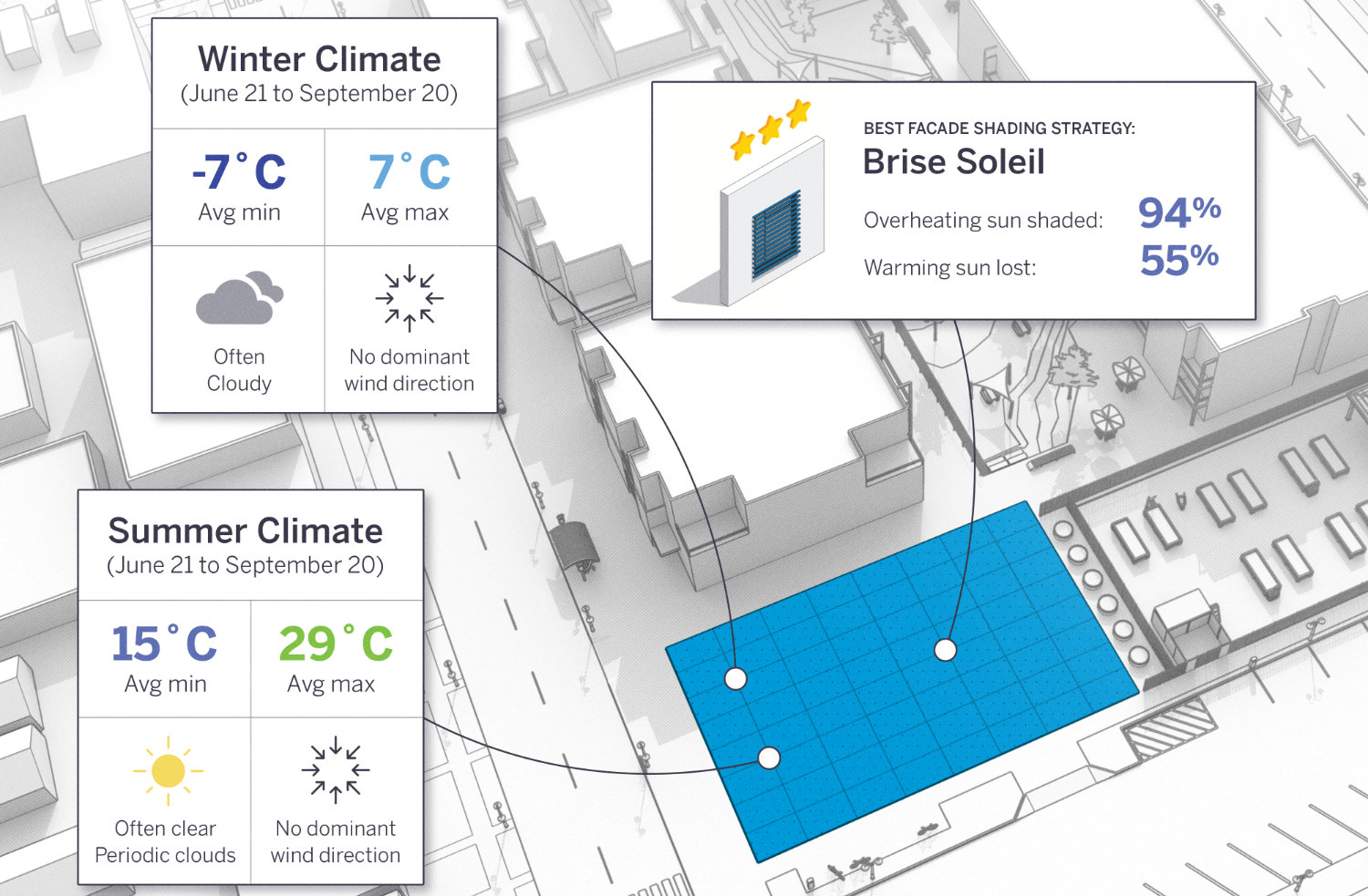
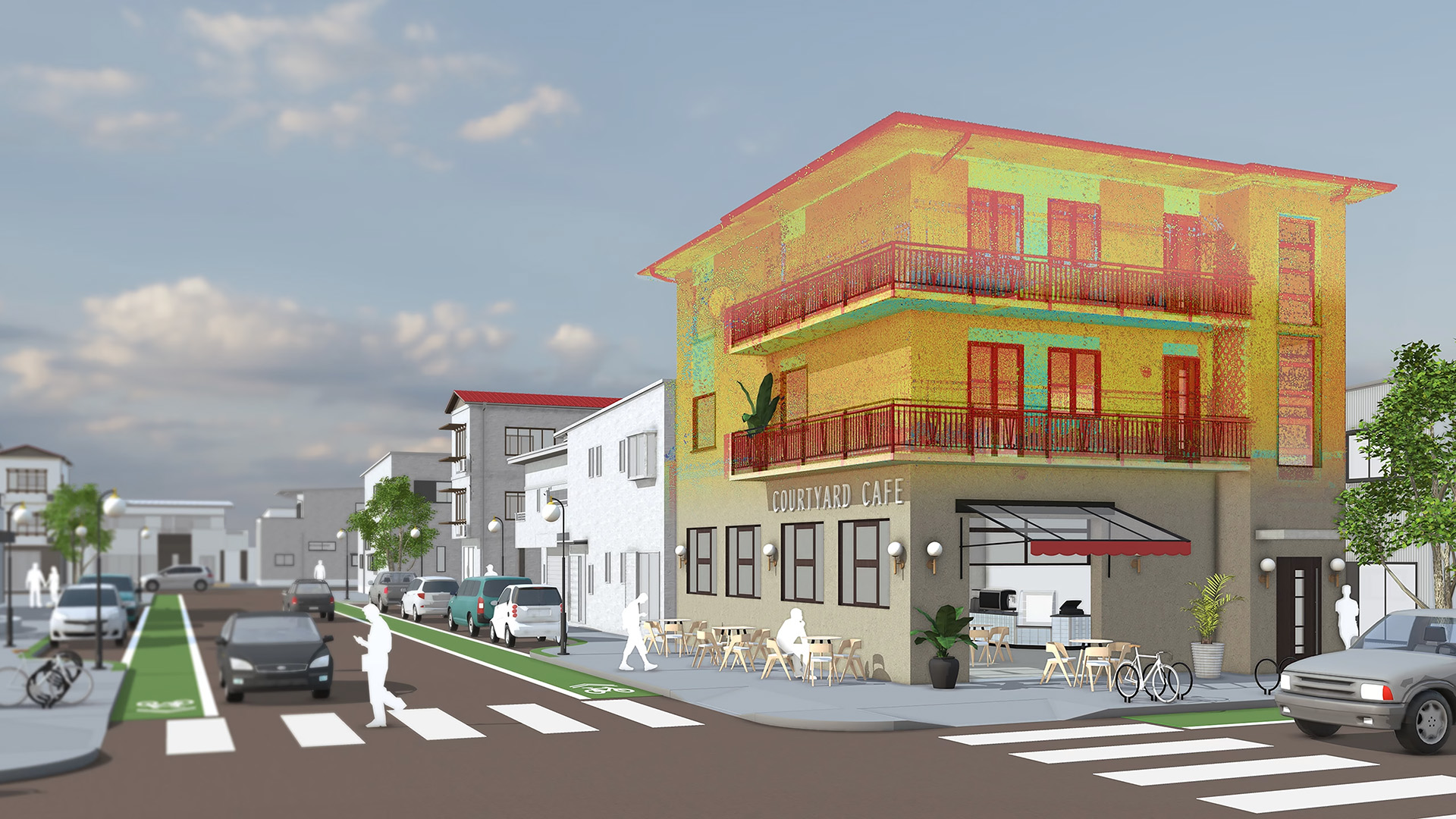
The desktop versions (Pro and Studio) provide extensive information about your model. With PreDesign, you receive all the data needed to correctly incorporate climate influences into your initial concepts. This ensures your project always starts in the right direction.
In addition to generating images in SketchUp, you can create professional, scaled presentations using the included LayOut application. Place multiple views on a template in your brand’s style and add dimensions, text, patterns, and more. Want to truly impress your clients? With V-Ray in SketchUp Studio, you can achieve hyper-realistic rendering for photorealistic presentations.
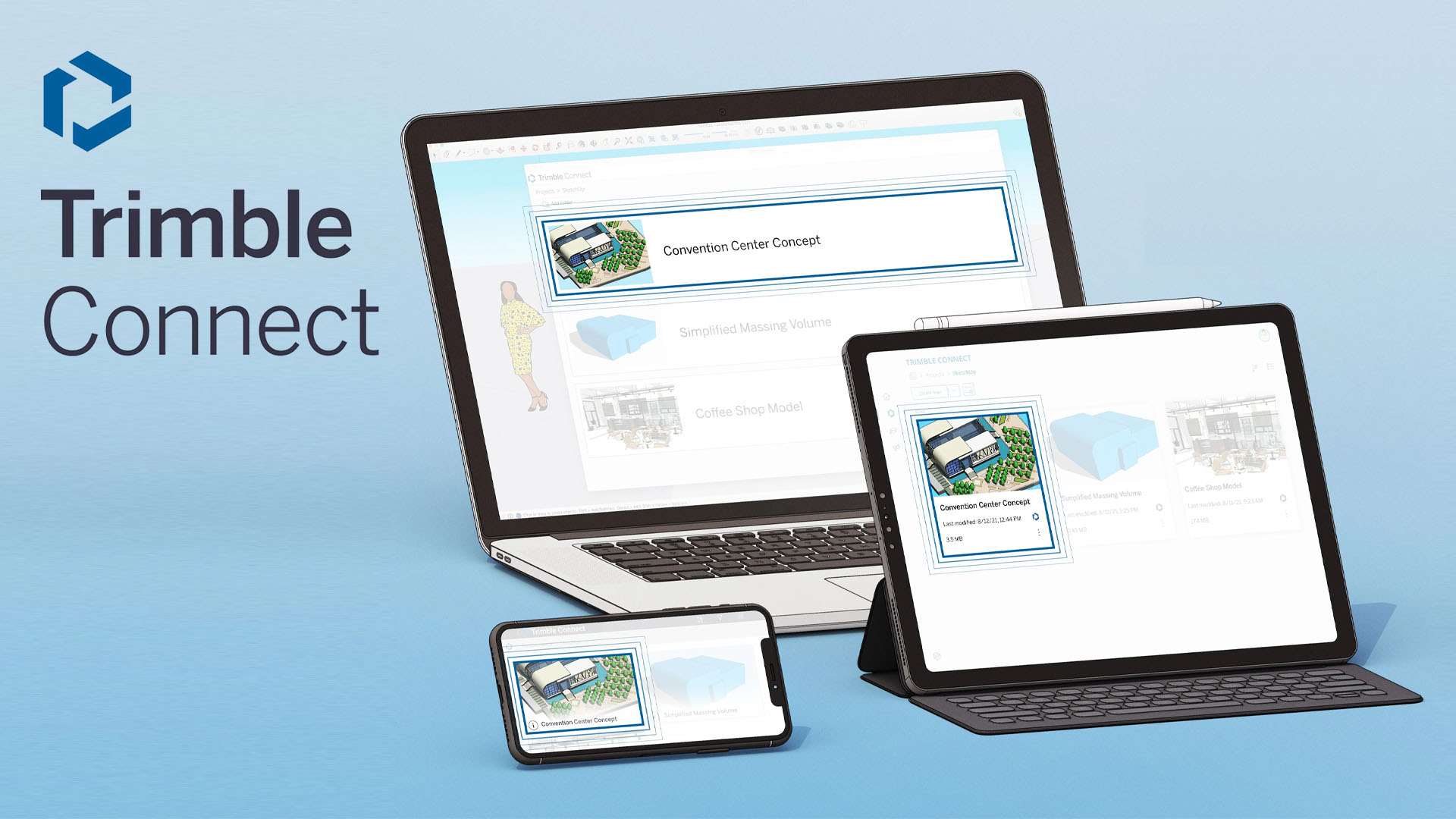
With every subscription, you gain access to Trimble Connect Business, which allows you to connect the right people with the right information at the right time. In Trimble Connect, clients, designers, contractors, and other stakeholders can collaborate on BIM projects. Trimble Connect is integrated with many Trimble products but also works with third-party files. This means that structural engineers, estimators, installers, and MEP engineers can all work on the same project, viewing, managing, sharing, and referencing information through the cloud in their own software. This significantly reduces construction errors, saving time and money and ensuring customer satisfaction.
SketchUp is inspired by the classic pencil. With numerous drawing tools, you can freely sketch shapes in 2D and pull them into 3D with a single motion. This way, you can create incredible designs in no time.
In addition to generating images in SketchUp, you can create professional, scaled presentations using the included LayOut application. Place multiple views on a template in your brand’s style and add dimensions, text, patterns, and more. Want to truly impress your clients? With V-Ray in SketchUp Studio, you can achieve hyper-realistic rendering for photorealistic presentations.
The desktop versions (Pro and Studio) provide extensive information about your model. With PreDesign, you receive all the data needed to correctly incorporate climate influences into your initial concepts. This ensures your project always starts in the right direction.
With every subscription, you gain access to Trimble Connect Business, which allows you to connect the right people with the right information at the right time. In Trimble Connect, clients, designers, contractors, and other stakeholders can collaborate on BIM projects. Trimble Connect is integrated with many Trimble products but also works with third-party files. This means that structural engineers, estimators, installers, and MEP engineers can all work on the same project, viewing, managing, sharing, and referencing information through the cloud in their own software. This significantly reduces construction errors, saving time and money and ensuring customer satisfaction.
Features
Drawing Tools
SketchUp is inspired by the classic pencil. With numerous drawing tools, you can freely sketch shapes in 2D and transform them into 3D with a single motion. This allows you to create stunning designs in no time.
3D Extrusion
Once you’ve drawn a surface, you can elevate or deepen it into the third dimension using the Push/Pull tool or the Follow-Me tool. Simply move the tool over a surface and drag it up or down! No more complex commands—just a straightforward way to create your 3D geometry.
Solid Modeling
Combine two or more volumes into one. Add them together, subtract them, or split them apart. There are various ways to create unique volumes that can’t be made with standard modelling tools!
PhotoMatch
Create a 3D model by tracing over your 2D photo or place your 3D model into a 2D photo. With PhotoMatch, you can easily align the photo to SketchUp’s coordinate system. PhotoMatch then calculates the correct camera position and viewing angle.
SketchUp, Real Stories

From Sketch to Realistic Garden Experience
How do you visualise 150+ garden projects a year, quickly and to a professional standard? Marlies of Imperata shows how SketchUp and smart component libraries take her from rough sketch to a breathtaking 3D garden in no time. Packed with practical workflow tips you can put to use straight away!

SketchUp Meets BIM: The 'De Twee Snoeken Approach'
Architect Anouk of the renowned De Twee Snoeken reveals how SketchUp has been the creative engine of their hybrid BIM workflow, alongside Revit, for over 15 years. Find out how they use it to design and present award-winning buildings!
From Concept to 3D: How Anouk Creative Studio Uses SketchUp
Anouk Everink delivers four projects a week from her studio, all thanks to a watertight SketchUp workflow. From interior drawings to technical plans: discover her sharpest tips, favourite shortcuts and how she wins clients over with compelling 3D visualisations every time!

The Digital Transformation of an Italian Dream
Digitally reconstructing an old Italian farmhouse — without a single building drawing to work from? This inspiring case shows how 3D scanning and SketchUp together bring clarity, eliminate surprises and make for a brilliantly streamlined renovation process. See how technology can turn a dream project into reality!

A Complete Windmill Brought to Life in SketchUp
Village miller Gerard spent hundreds of hours recreating a 160-year-old grain mill in SketchUp — right down to the very last cog. No extensions, just an extraordinary amount of skill and dedication. An inspiring story about what SketchUp is truly capable of in the right hands!
From SketchUp to the Building Site
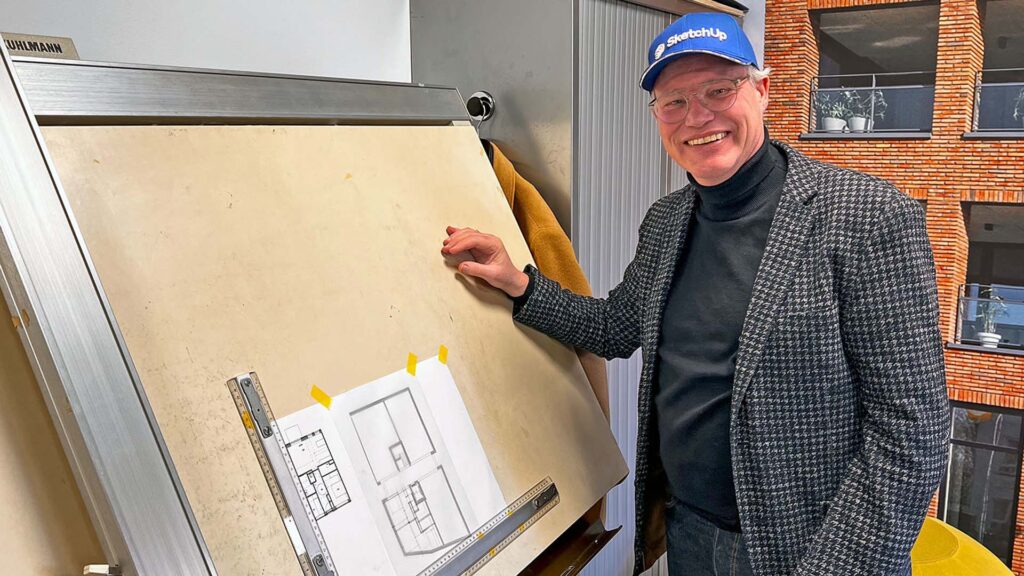
Construction company KUDO keeps the entire development process in-house: from SketchUp design to prefab concrete elements produced in their own factory. Architect Berto shows how SketchUp underpins every BIM model, and how that makes the whole building process faster and smarter!

3D Garden Designs with a Wow Factor
Patrick Veenstra designs hundreds of gardens a year, from small city plots to holiday parks, with SketchUp at the core of everything he does. His approach: model the static volumes in SketchUp, add planting and atmosphere in the renderer. Want to know how he uses it to win clients over on the spot?
A SketchUp Booth, Built in SketchUp
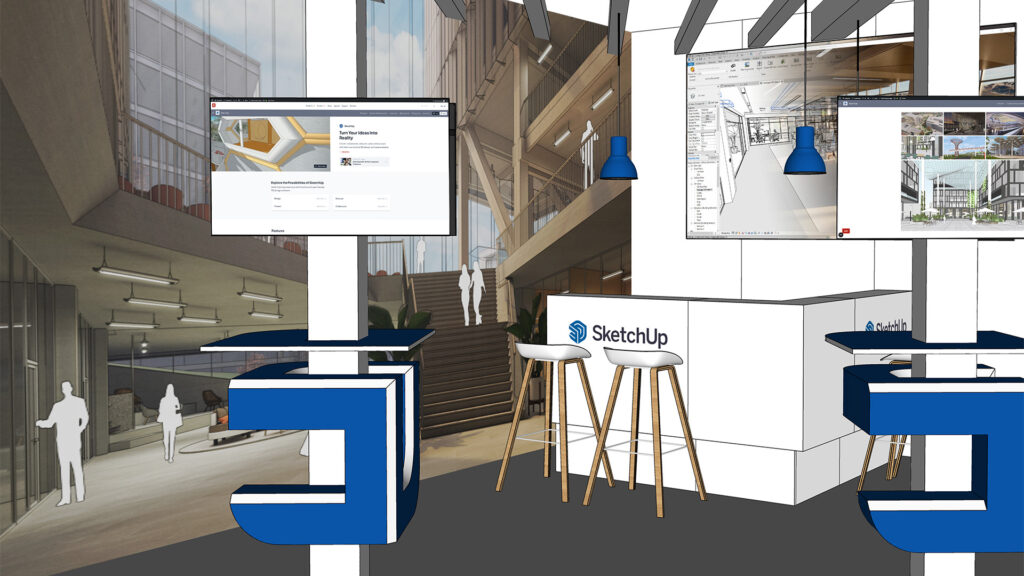
Exhibition builder Dehullu designed the SketchUp trade show booth at Bouwbeurs 2023 entirely in… SketchUp! From initial concept and V-Ray renders to precision drawings in LayOut: a great example of how an entire workflow, from first idea to finished build, can come together in a single programme!

Designing Interiors Interactively
Interior designer Angelique Philips uses SketchUp as her go-to presentation tool, walking clients through their future space in real time. Want to make a change? Do it live, right there in the meeting. Discover her approach and how it helps her turn prospects into happy clients!



System Requirements
- Operating System Windows 11 – 64bit
- Browser WebGL-compatible web browser
- Processor 2.1+ Ghz
- RAM 8 GB
- Disk Space 5 GB
- Video Card 8+ GB 100% OpenGL*
- Mouse 3-button mouse with scroll function
- Processor 2.4+ Ghz
- RAM 16 GB
- Disk Space 6 GB
- Video Card 16+ GB 100% OpenGL*
- Mouse 3-button mouse with scroll function
* If you’re considering a new machine, allocate sufficient resources to the graphics card. We recommend cards with an RTX chip, preferably from the GeForce series. These cards provide excellent OpenGL support and have high-quality drivers. OpenGL is the backbone of 3D rendering for SketchUp Pro. On-board graphics cards (integrated chipsets) are strongly discouraged! If you’re unsure about purchasing a new graphics card, be sure to check out this benchmark, preferably high-end.
3Dconnexion SpaceMouse & CadMouse
Unleash your full design potential with a 3Dconnexion mouse. Put both your hands to work for a maximum CAD experience with intuitive control and unparalleled precision.
Find the best product for your workflow
Plans and Pricing
SketchUp offers five licensing options (excl. 21% VAT).
- Browser Version
- Named-user subscription
- Accessible Anywhere
- Version Upgrades
- Technical Support
- SketchUp for iPad
- Access to 3D Warehouse
- 100 AI Credits per month
- AI Assistant
- AI Rendering
- AI Object Generation
- 3D Model Measuring
- Trimble Connect Business
- Desktop Version
- Named-user subscription
- Not to be shared with other people
- Version Upgrades
- Technical Support
- SketchUp for iPad
- Access to 3D Warehouse
- 150 AI Credits per month
- AI Assistant
- AI Rendering
- AI Object Generation
- 3D Model Measuring
- Trimble Connect Business
- High-Resolution Geo-Locations
- PreDesign (climate tool)
- LayOut
- Extendable with SketchUp Extensions
- Custom Styles and Materials
- Professional Study Material
- Desktop Version
- Named-user subscription
- Not to be shared with other people
- Version Upgrades
- Technical Support
- SketchUp for iPad
- Access to 3D Warehouse
- 150 AI Credits per month
- AI Assistant
- AI Rendering
- AI Object Generation
- 3D Model Measuring
- Trimble Connect Business
- High-Resolution Geo-Locations
- PreDesign (climate tool)
- LayOut
- Extendable with SketchUp Extensions
- Custom Styles and Materials
- Professional Study Material
- Scan Essentials* (Windows only)
- Desktop version
- Named-user subscription
- Not to be shared with other people
- Version upgrades
- Technical support
- SketchUp for iPad
- Access to 3D Warehouse
- 150 AI Credits per month
- AI Assistant
- AI Rendering
- AI Object Generation
- 3D Model Measuring
- Trimble Connect Business
- High-Resolution Geo-locations
- PreDesign (climate tool)
- LayOut
- Extendable with SketchUp Extensions
- Custom styles and materials
- Professional training material
- Trimble Site Contractor
- Trimble Field Points
- Desktop Version
- Named-user subscription
- Not to be shared with other people
- Version Upgrades
- Technical Support
- SketchUp for iPad
- Access to 3D Warehouse
- 150 AI Credits per month
- AI Assistant
- AI Rendering
- AI Object Generation
- 3D Model Measuring
- Trimble Connect Business
- High-Resolution Geo-Locations
- PreDesign (climate tool)
- LayOut
- Extendable with SketchUp Extensions
- Custom Styles and Materials
- Professional Study Material
- Trimble Site Contractor
- Trimble Field Points
- Scan Essentials* (Windows only)
- Revit Importer* (Windows only)
- Desktop Version
- Named-user subscription
- Not to be shared with other people
- Version Upgrades
- Technical Support
- SketchUp for iPad
- Access to 3D Warehouse
- 200 AI Credits per month
- AI Assistant
- AI Rendering
- AI Object Generation
- 3D Model Measuring
- Trimble Connect Business
- High-Resolution Geo-Locations
- PreDesign (climate tool)
- LayOut
- Extendable with SketchUp Extensions
- Custom Styles and Materials
- Professional Study Material
- Trimble Site Contractor
- Trimble Field Points
- Scan Essentials* (Windows only)
- Revit Importer* (Windows only)
- V-Ray
Educational plans
SketchUp is also available for educational use at reduced prices.
All prices mentioned are per license/seat per year and exclude VAT!
SketchUp Studio – Subscription – Teacher/Student
- € 53,- excl. VAT per year
- Includes SketchUp, LayOut, StyleBuilder, SketchUp for iPad, Sefaira, Trimble Connect, PreDesign and Scan Essentials
- Personalised license form – activation via email address.
- Support and version upgrades included within the purchased period.
- Most comprehensive offering for Educational Institutions, including SketchUp Pro, LayOut, StyleBuilder, SketchUp for iPad, Sefaira, Trimble Connect, PreDesign, Trimble Scan Essentials and SketchUp for Web.
- Minimum purchase of 10 users. Volume pricing:
- From 10 users: €49 excluding VAT per user per year
- From 51 users: €44 excluding VAT per user per year
- From 201 users: €39 excluding VAT per user per year
- From 500 to 1000 users: €19,270 excluding VAT per year for all users
- From 1000 users: Ask a reseller for a quote
- Personalised license form for both classroom and home use – activation via email address.
- Grant large groups of users access to the software via Bulk User Management.
- Support and version upgrades included within the purchased period.
In addition to SketchUp Studio for Education, we also offer the following educational license types for educational institutions:
- SketchUp Pro Classic School Lab License
- €29 excluding VAT per network license per year, not computer-bound, activation via the internet.
- Network licenses are floating, and the number of licenses determines how many students can activate SketchUp Pro simultaneously.
- This license type does NOT include access to SketchUp for iPad, Sefaira, Trimble Connect, PreDesign, Trimble Scan Essentials and SketchUp for Web.
- Support and version upgrades are included within the purchased period.
- SketchUp Pro Classic School Private Server License
- €29 excluding VAT per private network license per year, not computer-bound, activation via your own network.
- Private network licenses are also floating, but activation is done via a server on your own network (useful when certain ports are not accessible due to security measures).
- This license type does NOT include access to SketchUp for iPad, Sefaira, Trimble Connect, PreDesign, Trimble Scan Essentials and SketchUp for Web, and SketchUp.
- Only available for the currently valid version of SketchUp Pro; upgrades are not included.
All prices mentioned are per license/seat per year and exclude VAT!
SketchUp Studio – Subscription – Teacher/Student
- € 53,- excl. VAT per year
- Includes SketchUp, LayOut, StyleBuilder, SketchUp for iPad, Sefaira, Trimble Connect, PreDesign and Scan Essentials
- Personalised license form – activation via email address.
- Support and version upgrades included within the purchased period.
- Most comprehensive offering for Educational Institutions, including SketchUp Pro, LayOut, StyleBuilder, SketchUp for iPad, Sefaira, Trimble Connect, PreDesign, Trimble Scan Essentials and SketchUp for Web.
- Minimum purchase of 10 users. Volume pricing:
- From 10 users: €49 excluding VAT per user per year
- From 51 users: €44 excluding VAT per user per year
- From 201 users: €39 excluding VAT per user per year
- From 500 to 1000 users: €19,270 excluding VAT per year for all users
- From 1000 users: Ask a reseller for a quote
- Personalised license form for both classroom and home use – activation via email address.
- Grant large groups of users access to the software via Bulk User Management.
- Support and version upgrades included within the purchased period.
In addition to SketchUp Studio for Education, we also offer the following educational license types for educational institutions:
- SketchUp Pro Classic School Lab License
- €29 excluding VAT per network license per year, not computer-bound, activation via the internet.
- Network licenses are floating, and the number of licenses determines how many students can activate SketchUp Pro simultaneously.
- This license type does NOT include access to SketchUp for iPad, Sefaira, Trimble Connect, PreDesign, Trimble Scan Essentials and SketchUp for Web.
- Support and version upgrades are included within the purchased period.
- SketchUp Pro Classic School Private Server License
- €29 excluding VAT per private network license per year, not computer-bound, activation via your own network.
- Private network licenses are also floating, but activation is done via a server on your own network (useful when certain ports are not accessible due to security measures).
- This license type does NOT include access to SketchUp for iPad, Sefaira, Trimble Connect, PreDesign, Trimble Scan Essentials and SketchUp for Web, and SketchUp.
- Only available for the currently valid version of SketchUp Pro; upgrades are not included.
Please note! Educational licenses are only available to students/teachers of non-commercial, government-subsidised day courses. Unfortunately, institutions with a clear commercial focus can only receive commercial licenses. Educational prices include free Maintenance.
Learn more
Discover where to find more information about SketchUp, including tutorials, a knowledge base, and changelogs.


Frequently Asked Questions
SketchUp is intuitive 3D design software that lets you turn ideas into 3D models quickly and easily. You draw in 2D and pull your design up into 3D with a single move. It’s built for architects, interior and garden designers, contractors, carpenters, exhibition builders and students. In short, for anyone who wants to design, present and build in 3D.
You can choose from SketchUp Go (browser and iPad), SketchUp Pro (desktop, including LayOut, PreDesign and extensions) and SketchUp Studio (Pro plus V-Ray, Scan Essentials and Revit Importer, among others). If you work with scan data, earthworks or Revit files, there are dedicated Pro variants: Pro Scan, Pro Civil Contractor and Pro Advanced.
SketchUp is available as an annual subscription, so you pay a fixed amount per year. The price depends on the subscription you choose, from SketchUp Go up to SketchUp Studio. All listed prices exclude 21% VAT. Check the current prices in the subscriptions and pricing overview. Not sure which subscription suits you best? We’re happy to help you choose!
The AI Assistant gives you access to all AI features in one place. Generate Object creates 3D objects from a text prompt or an image, AI Render turns your model into a conceptual or photorealistic image in one click, and the Help Assistant answers your questions right inside the app. You get AI credits every month: 100 with Go, 150 with Pro and 200 with Studio.
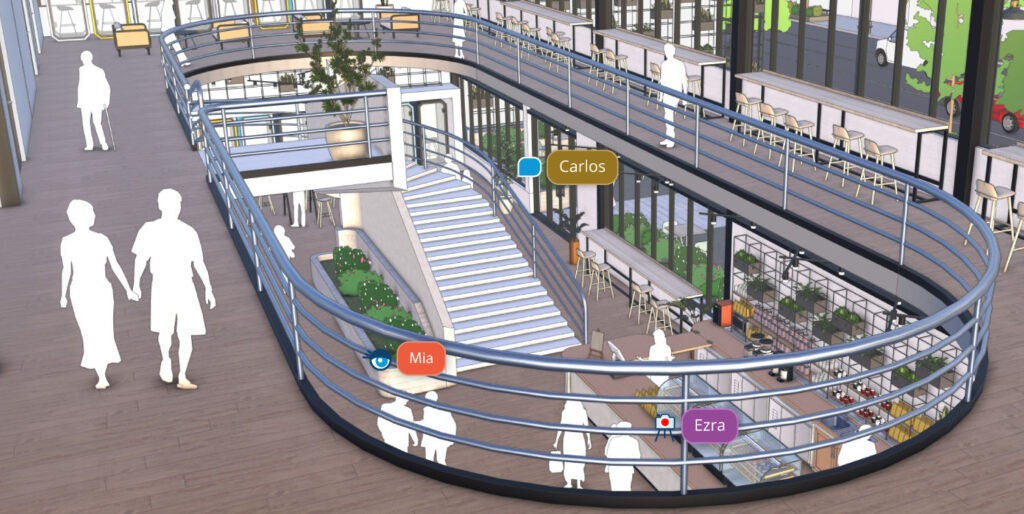
Absolutely! You share your model with clients and colleagues, see in real time who is working where, and give feedback directly in the model. Every subscription also includes Trimble Connect, where everyone involved collaborates on BIM projects in the cloud. SketchUp also supports IFC import and export and includes a BIM Classifier.
SketchUp runs on both Windows and macOS. There’s also SketchUp for iPad, which lets you sketch with the Apple Pencil, and SketchUp for Web, which runs entirely in your browser. That way you can design wherever suits you best. Please note that a few components, such as Scan Essentials and Revit Importer, are available for Windows only. For the supported operating system versions and the hardware you need, see the system requirements overview.
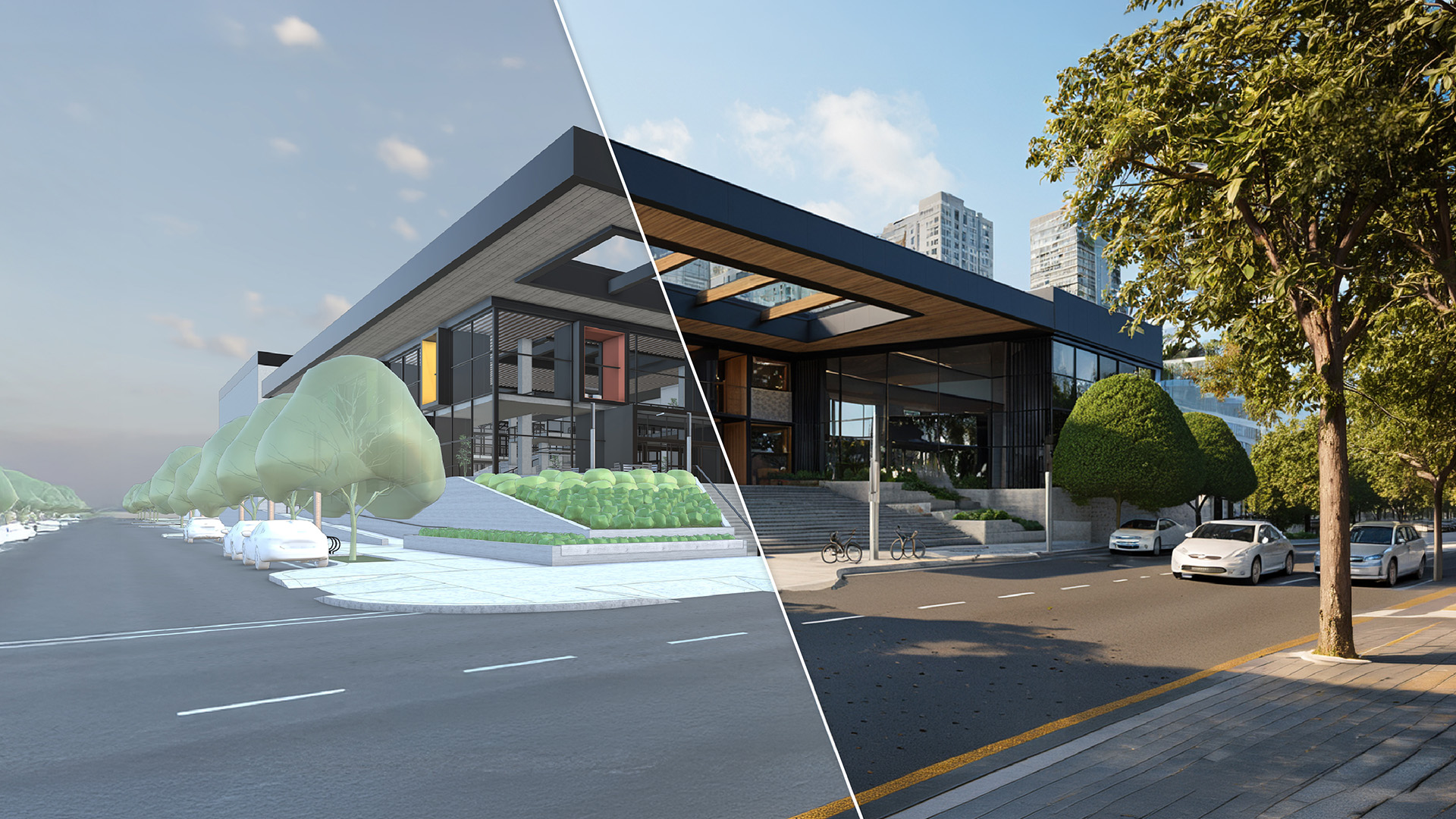
Yes! With LayOut you create professional 2D presentations in your own house style, complete with dimensions and text. AI Render produces visuals in no time, and with SketchUp Studio you get V-Ray for hyperrealistic renders and animations. You can also export your scenes as an mp4 video.
Yes! SketchUp is also available at reduced prices for education. There are separate licenses for students and teachers and for educational institutions, with attractive tiered pricing for larger groups. Here, too, it’s an annual subscription and prices exclude VAT. Please note that only non-commercial, government-funded day programs are eligible. Check the options and current prices in the licenses and pricing overview.
You can get started right away with the helpful how-to videos on the Dutch SketchUp YouTube channel and find answers to your questions in our knowledge base. Want to make progress even faster? Design8 also offers training and 3D coaching.
Use the “Try” button on this page to test SketchUp for yourself. You can buy it through one of our resellers. Design8 is the official SketchUp distributor for the Benelux, and with 20 years of experience, we’re glad to help you make the right choice.
The Latest SketchUp News
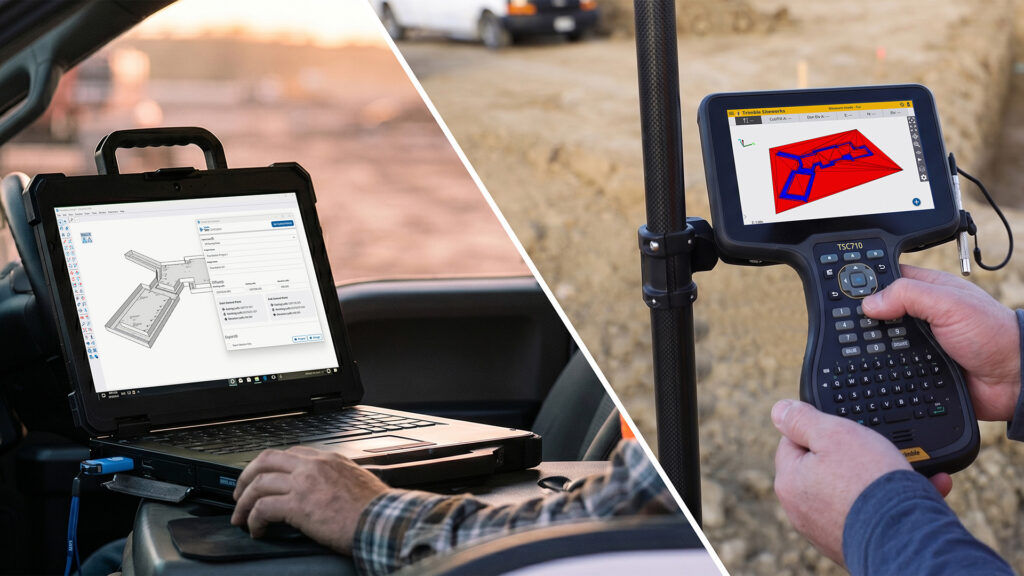
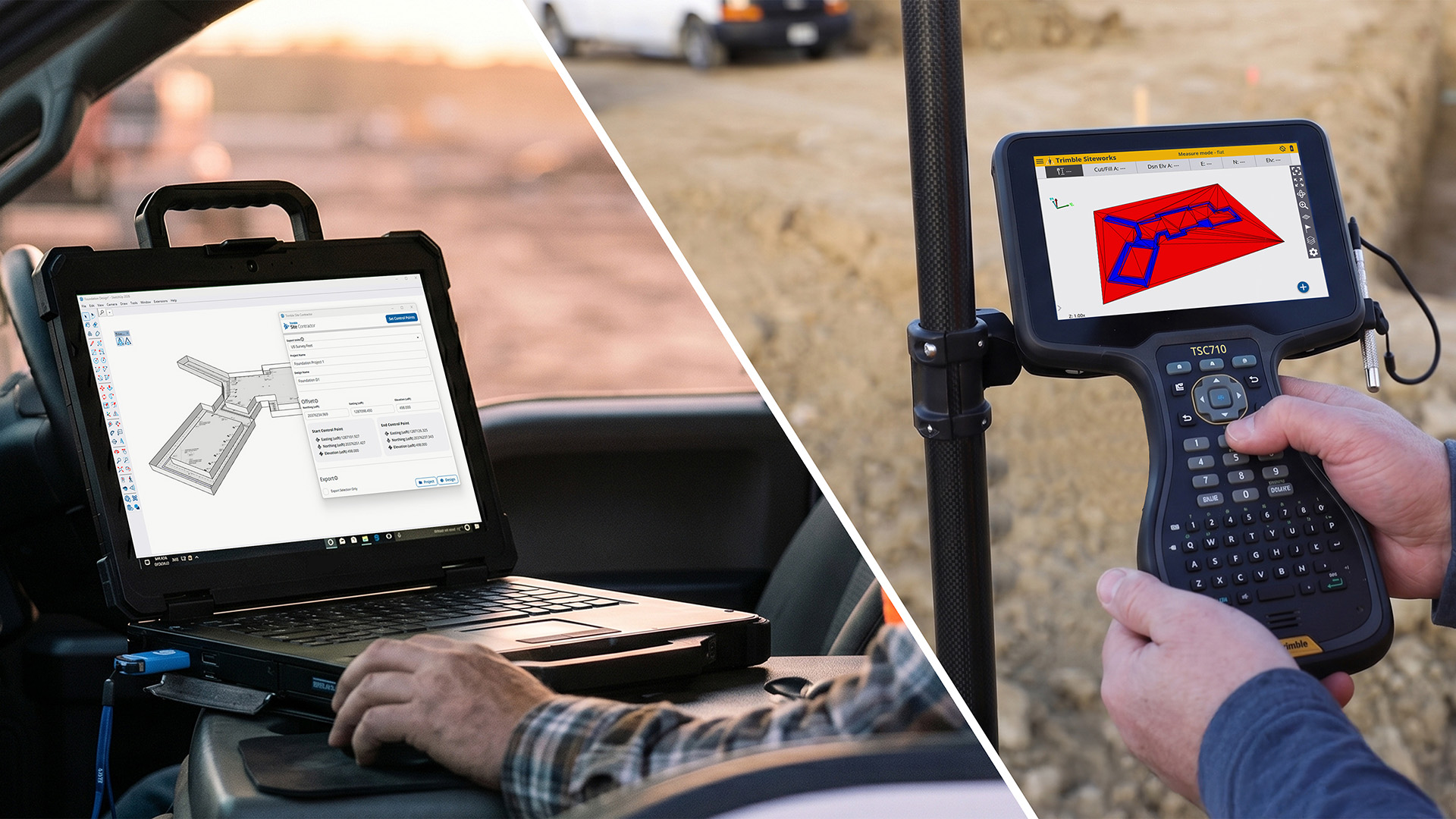
From 3D Model to Job Site: Discover Trimble Site Contractor for SketchUp
Connect your SketchUp design to Trimble Siteworks and Earthworks, stake out with confidence and let your machines dig exactly what you designed.
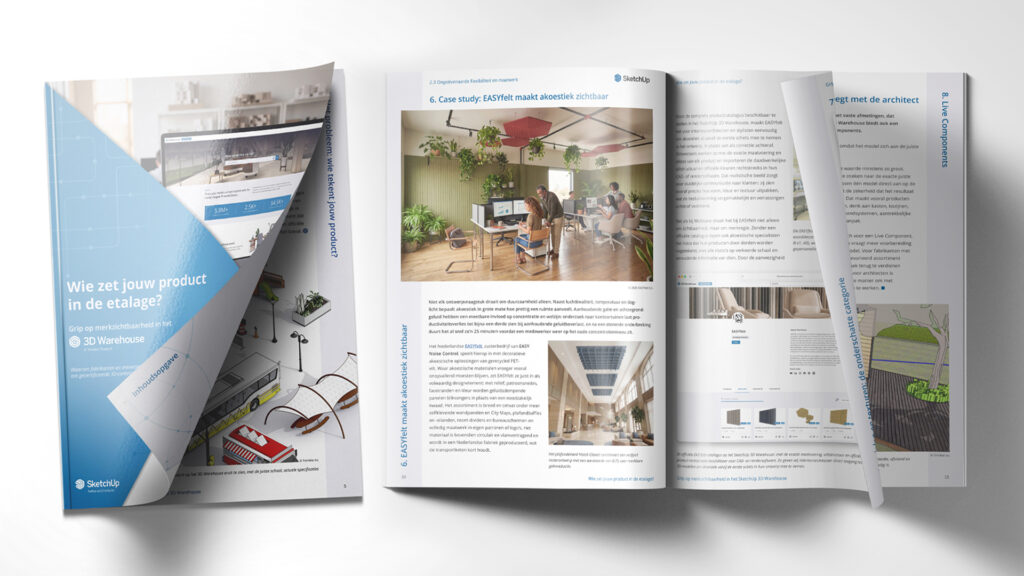
Take control of your 3D Warehouse presence
Discover how to take control of your brand in the SketchUp 3D Warehouse in just 7 steps with our free whitepaper.
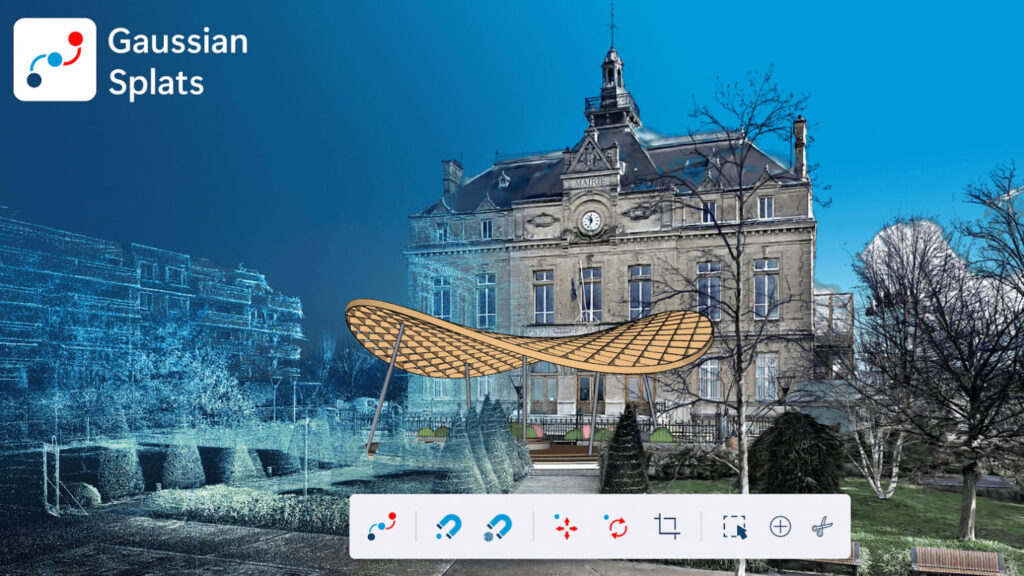
Gaussian Splats added to SketchUp LABS
Test the beta version of Gaussian Splats for SketchUp now.
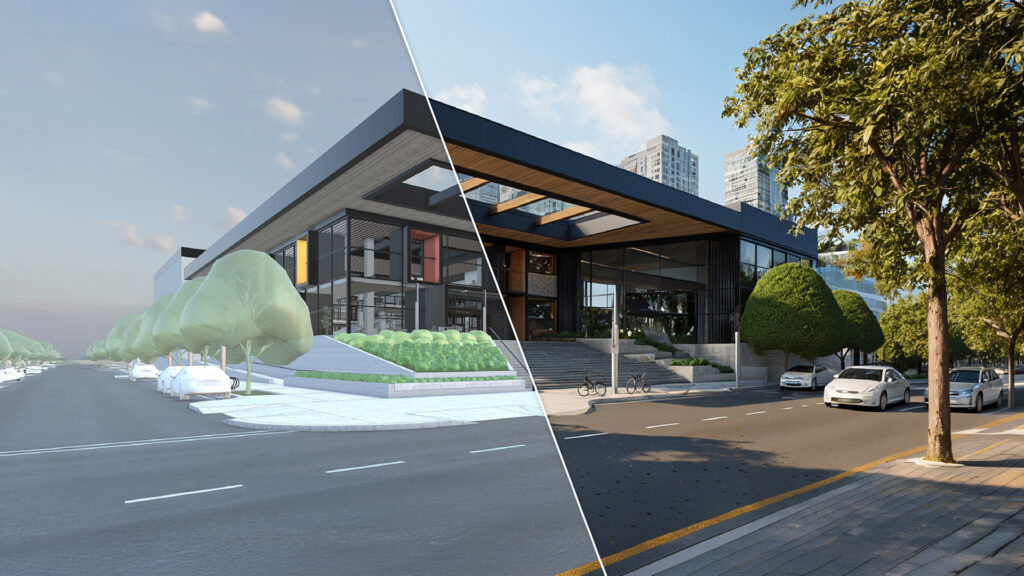
SketchUp 2026.2: packed with new possibilities
Everything from AI rendering to daylight analysis — it’s all in this update!
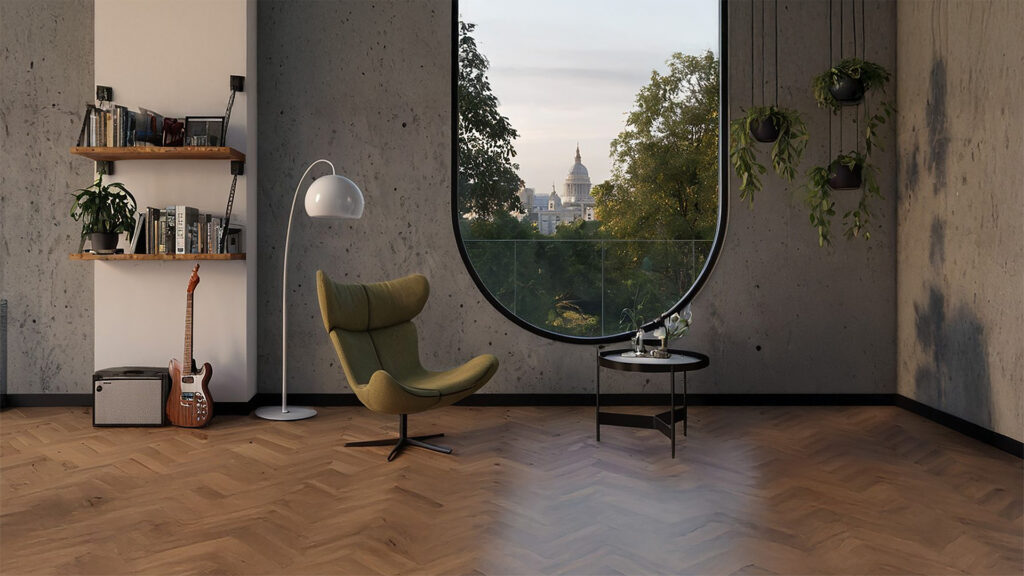
SketchUp 2026.1 is available!
Work smarter, faster, and more creatively with AI on board!

Collaborative Design Reaches a New Dimension in SketchUp
The latest SketchUp update: collaborate, visualize, and document like never before

Need Personal Advice?
Not sure which SketchUp subscription suits you best, or do you have a technical question? Feel free to get in touch! With 20 years of experience, we’re happy to help you find the right solution quickly.