





Faster Modeling in Undet for SketchUp 26.2
Undet for SketchUp 26.2 is here, featuring new tools to model in 3D directly from your scan data.


Direct modeling from scan data is the most reliable way to create accurate as-built models. With the latest release of Undet for SketchUp, this process is now even easier, faster, and more intuitive.
What’s New in Undet for SketchUp 26.2
Alongside two brand-new tools that speed up the process of drawing walls, doors, and windows to just a few clicks, this update brings a refreshed user interface and a significantly simplified licensing system:
3P Wall – Draw walls in an instant
Manually measuring and drawing walls is often a time-consuming task. With the new 3P Wall tool, you can draw a wall in just three clicks:
Points 1 & 2: Define the direction and alignment of the wall.
Point 3: Instantly defines the exact thickness.
Thanks to the handy chain mode, you can draw continuously without interruption. This allows you to generate an entire floor plan in 3D in no time, without having to enter dimensions manually.
Dynamic Doors & Windows – Frames that adapt to reality
No existing building is perfectly square or standard-sized. With the new Dynamic Doors & Windows tool, you can place doors and windows that automatically adjust to the openings in your point cloud.
SLAM & Mobile Mapping Data
Do you work extensively with SLAM scanners or mobile mapping systems? Undet now brings 360-panorama positions and the Sync Browser directly into SketchUp. If a specific area in the point cloud is unclear, simply click on that point in your model to instantly inspect the real-world situation directly from the scanner’s camera view.
Refreshed User Interface
The interface has received a major upgrade. Thanks to a reorganized toolbar and sharper, high-res icons, your most-used tools are exactly where you expect them to be. This declutters your screen and ensures a faster, smoother workflow.
Simplified License Management
Activating and managing your software is now much easier. No more hassle with complex SITE and MID codes. From now on, you can easily manage all your licenses centrally via license.undet.com.
What is UNDET again?
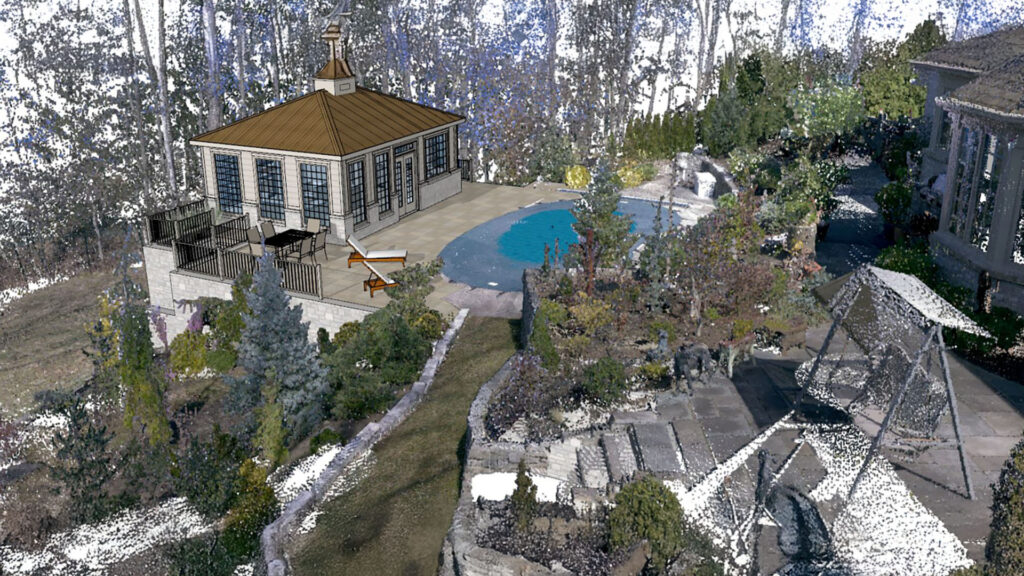
UNDET is a powerful point cloud extension for SketchUp. It helps you accurately view, analyze, and convert point clouds into 3D models. Ideal if you work with 3D scans, renovations, or as-built projects.
Thanks to the new compatibility, you can continue to use UNDET as you are accustomed to, but in the most recent SketchUp environment.