









SketchUp Changelogs
These changelogs are a comprehensive log of significant updates implemented in SketchUp, encompassing bug fixes, new features, and enhancements. They provide a detailed account of the historical changes made to each version.

Changelogs
SketchUp Pro Civil Contractor
October 6, 2026
With the new SketchUp Pro Civil Contractor subscription, you connect your SketchUp design to the field. It includes everything in SketchUp Pro, plus the Trimble Site Contractor and Trimble Field Points extensions. You turn your 3D model into accurate, field-ready data for layout and machine control, and you use field measurements as the starting point for your design.
New features:
Trimble Site Contractor (TSC)
An extension for SketchUp for Desktop that converts your 3D geometry into accurate, reliable, field-ready data for layout and earthmoving work. You work with a single data model from design to execution.
Export to Trimble Siteworks
Export your model as .dxf (linework) and .ttm (terrain model), or have Site Contractor create a complete Siteworks project folder with all your design files inside. You choose the unit of the export and give your project and design their own names. Want to send only part of your design to the field? Export just your selection.
Import Siteworks field data
Bring field measurements, linework and surfaces from a Siteworks .spj file into SketchUp and use them as reference geometry. The first measured point in the file lands at the origin of your model. This lets you model on top of measured data and determine, for example, where to dig or where a sewer line runs.
Control points and georeferencing
Place your model in the right location using numeric offsets for northing, easting and elevation, so the SketchUp origin lines up with your project coordinates. Mark 2D control points and 3D control points using your model’s reference elevation. You then run a site calibration in Siteworks, so your design lands on the ground exactly where it should.
Machine-ready designs for Trimble Earthworks
Convert SketchUp surfaces into design files that you pass on to Trimble Earthworks via Siteworks. This lets you guide excavators, dozers, skid steers and graders with your own 3D model. Machines can reach final grade in fewer passes, which saves fuel and reduces wear.
Trimble Field Points for SketchUp
Import georeferenced points from CSV files straight into SketchUp and work with real-world coordinates from the very first step. With this extension, you can also bring points from a robotic total station or from the Trimble Field Points software into your model.
What’s included in SketchUp Pro Civil Contractor?
- All SketchUp Pro features, including SketchUp for Desktop, LayOut, SketchUp for Web and SketchUp for iPad
- Trimble Site Contractor and Trimble Field Points
- Trimble Connect with unlimited cloud storage
- Extension Warehouse, 3D Warehouse and Live Components
- 150 SketchUp AI credits per month
- Phone and email support, automatic software updates, centralized billing, user management and predictable renewals
Also available in other subscriptions:
Trimble Site Contractor is also included in SketchUp Pro Advanced Workflows and SketchUp Studio.
Please note:
- Site Contractor works in SketchUp for Desktop, version 2025 or later.
- Trimble Siteworks and the Trimble Earthworks grade control platform are not included and are purchased separately.
Learn more about Trimble Site Contractor or read the news article From 3D Model to Job Site: Discover Trimble Site Contractor for SketchUp.
SketchUp 2026.2
June 12, 2026
New features and improvements
SketchUp for Desktop:
- Analysis Hub: Advanced Shadows
SketchUp’s new Analysis Hub is the place to study your building directly in SketchUp. The first Analysis Hub feature, Advanced Shadows, provides tools to study shadows at different times of the day or year. This helps you identify how neighboring buildings, trees, or other structures impact sunlight exposure over time. After running an analysis, you can review and interact with your results in the Analysis Viewer, a 3D environment with tools to adjust settings and toggle visibility. In addition to Advanced Shadows, the following analysis types are available as SketchUp Labs features: Annual Illuminance, Daylight Factor, Underlit & Overlit (sDA & ASE), Direct Sun, and Date & Time. - Migrate Extensions Improvements
The Migrate Extensions tool can now migrate extensions from an earlier supported version of SketchUp without requiring a restart. Your extensions appear immediately in your workspace, in the same positions as before. On Windows, this includes customizations to your panel trays and workspace layout. - Scan Essentials Point Cloud Improvements (Windows only)
Scene Properties now includes an option to turn the visibility of imported point clouds on or off per scene. This streamlines workflows on complex projects involving multiple scan datasets. The option only appears if Scan Essentials is installed and active. - Components Panel Search Filter (Windows only)
Searches performed in the Components panel now filter components within your current model only, rather than searching 3D Warehouse. You can still access 3D Warehouse via the dedicated button in the panel.
LayOut:
- Improved Graphics Engine
LayOut’s improved graphics engine, previously available as a Labs feature, is now enabled by default. Improvements in this release include better text fidelity (wrapped text no longer clips in compressed bounding boxes, centered text now includes proper padding), more accurate rendering (uniformly spaced dot patterns now render correctly as circles), and on macOS improved support for kerning, superscripts, and subscripts. - Clipping Masks for Groups and Scaled Groups
Clipping masks in LayOut can now be applied to both Groups and Scaled Groups, providing the same flexibility as images and SketchUp model viewports. Show exactly what you need without permanently deleting or trimming drawing entities.
Bug fixes and other improvements
SketchUp:
- New fast shadow system delivering significantly improved frame rates on models with shadows enabled.
- Fixed a crash that could occur when using the Move tool on specific geometry.
- Fixed an issue where the Welcome Window would still show with Show Welcome Window disabled in Preferences.
- Fixed an issue where the Welcome Window appeared blank when no user license was assigned at launch.
- Improved the speed of opening the Welcome Window on startup.
- SketchUp now supports uploading .skm files directly from inside SketchUp.
- Fixed multiple crashes that occurred on Windows following the 2025.0 release.
- Migrated the Extension Manager to a new UI infrastructure for improved performance and consistency.
- Clicking Update License in the Extension Manager now properly refreshes the dialog and verifies license validity.
- Translation issues, broken graphics, and missing entitlements in the Extension Manager from version 2026.1.3 are automatically resolved.
- Resolved a crash that occurred if the Extension Manager was closed and reopened during an active extension update.
- Fixed a security vulnerability in Dynamic Components.
- Fixed an error in Dynamic Components when both the Options dialog and Attributes dialog are open at the same time.
- Updated Dynamic Components to version 1.8.5.
- (Win) Fixed erratic jumping and resizing of frameless dialogs when dragged between monitors with different display scale settings.
- Fixed an issue where models displayed as bounding boxes prematurely during navigation on certain platforms.
- Fixed an issue where geometry outlines persisted on screen while orbiting the camera.
- Fixed an issue where the Color by Axis style incorrectly highlighted off-axis edges as on-axis.
- Fixed an issue where cycling grip positions with the Move or Rotate tool did not work when another group contained a section plane with section cuts enabled.
- Corrected the display of Scale tool grips, which were previously showing back edges through foreground faces.
- Fixed an issue where the Move tool’s profile transparency highlight did not account for the object’s rotation.
- Fixed an issue where incorrect tags were applied while panning.
- Fixed an issue where the material preview did not display when creating a new material from an image.
- Fixed an issue where the solar north indicator became detached from the axes origin after relocating the model axes.
- Fixed an issue where the file size displayed in the Welcome Window did not match the actual file size reported by the operating system.
- Fixed an issue where incorrect shortcuts were appearing under the Edit menu.
- Fixed an issue where the 3D Text tool’s font list was incomplete.
- Fixed an issue where users could assign hardcoded shortcuts via import.
- Fixed an issue where SketchUp failed to import additional DWG files after cancelling a previous import.
- Fixed an issue where using the Scale tool on Live Components with uniform constraints would not update the scale grips.
- Resolved an issue where switching to specific styles would trigger a false ‘invalid name’ warning message.
- (Win) Fixed an issue where Ctrl+Q was a built-in shortcut that could not be removed.
- (Win) Fixed an issue where the Welcome Window was missing some translations.
- (Win) Fixed an issue where the expiring subscription message was clipped.
- (Win) Fixed an issue so that panels in list form will no longer show all contents of subfolders.
- (Win) Fixed an issue where the undo history for scene animation used incorrect terminology.
- (Win) Fixed an issue where double-clicking undocked toolbars failed to return them to their original docked positions.
- (Mac) Fixed an issue where the space bar shortcut did not activate the Select tool after using another tool.
- (Mac) Fixed an issue where sampling a material with the Paint Bucket tool caused errors.
- (Mac) Fixed an issue where dialog visibility was lost if SketchUp was quit from the Welcome Window.
LayOut:
- Improved stability by fixing the cause of some of the most frequently reported crashes.
- Fixed a bug where the caret cursor would not move with a text entity during panning.
- Fixed an issue where the caret could disappear in table cell edit mode.
- Fixed an issue where wrapped text was getting clipped in compressed bounding boxes.
- Fixed an issue that caused an ‘invalid string’ message when entering precise scales such as ’10 mm’.
- Fixed a significant visual discrepancy for various fonts between the legacy and new graphics engine renderings.
- Fixed an issue where the selection highlight for text extended beyond its bounding box.
- Fixed an issue where wrapped text in compressed table cells was getting clipped without a line break.
- Fixed an issue where the dotted dash style displayed as an oval rather than a dot.
- Fixed an issue where zooming in or out in text edit mode caused choppy and intermittent zoom behavior.
- Fixed an issue where the scrollbar would jump when toggling tag visibility in the SketchUp Model panel.
- Navigating through top menu items or moving the cursor to an empty area on the canvas no longer highlights text while in the Text editor.
- Fixed an issue where custom keyboard shortcuts like flip up/down and flip left/right were not assignable and working as intended.
- The SketchUp Model inspector Tag window custom resizing now persists within sessions and upon relaunch.
- The Eyedropper tool is no longer unresponsive after selecting the Spacebar while the tool is active.
- SketchUp Model inspector sub-menu panels (such as Styles and Tags) are now resizable to reduce scrolling and will retain changes per session.
- Fixed an issue where copied dimensions were not editable on a new page.
- Fixed a performance issue affecting the movement of multiple selected objects.
- Fixed an issue where custom line widths smaller than 0.1 would not be accepted in the value box.
- The Alt key can now be used in custom keyboard shortcuts that override default top menu commands on both Windows and Mac.
- Fixed a crash that occurred when selecting the Edit button in Scrapbooks, including with custom Scrapbooks and multiple documents open at once.
- Floating trays now close without delay when exiting a LayOut session.
- Implemented a visual emphasis fix for color wells in trays.
- Color Inspector sliders now transition more smoothly and accurately when dragging or clicking within the slider area.
- (Win) Fixed an issue where text could occasionally shift after editing.
- (Win) Fixed a crash when exporting as DWG or DXF with page names in English while the OS language is set to Japanese.
- (Win) Fixed an issue that could result in the clipping of text at the bottom of a text box.
- (Win) Fixed an issue where switching between the new and legacy graphics engines resulted in a different width of bounded text.
- (Win) Re-added the ability to use Ctrl+Tab to cycle between LayOut documents and trays.
- (Win) Fixed a bug that prevented setting camera views for SketchUp Model viewports.
- (Win) Fixed an issue that caused floating trays to migrate on each launch.
- (Win) Fixed a bug that required multiple selections of a color well in the text inspector to update with the selected text entity’s applied color.
- (Win) Text size changes can now be undone in text edit mode with a single undo action.
- (Win) Fixed a start-up window display position issue for dual-monitor setups.
- (Win) Fixed the application key functionality to act as a context click in the paperspace.
Interoperability
Revit Importer 1.2026.1.6:
- Improved import process for complex Revit categories such as Railings and Curtain Walls.
- When Import Revit metadata is enabled, element naming now follows Revit Element ID conventions.
- Curved columns and other rounded elements now feature smoother, less triangulated geometry.
- Fascia boards and gutters now correctly appear in the entity list upon import.
- Fixed a bug that caused import failures for certain Revit models that previously required a Save As workaround.
- Added support for importing long text strings within Revit 3D Text elements.
- Molding elements are now supported and listed under Walls/Wall Sweeps.
SketchUp 2026.1
December 10, 2025
New Features:
- SketchUp AI
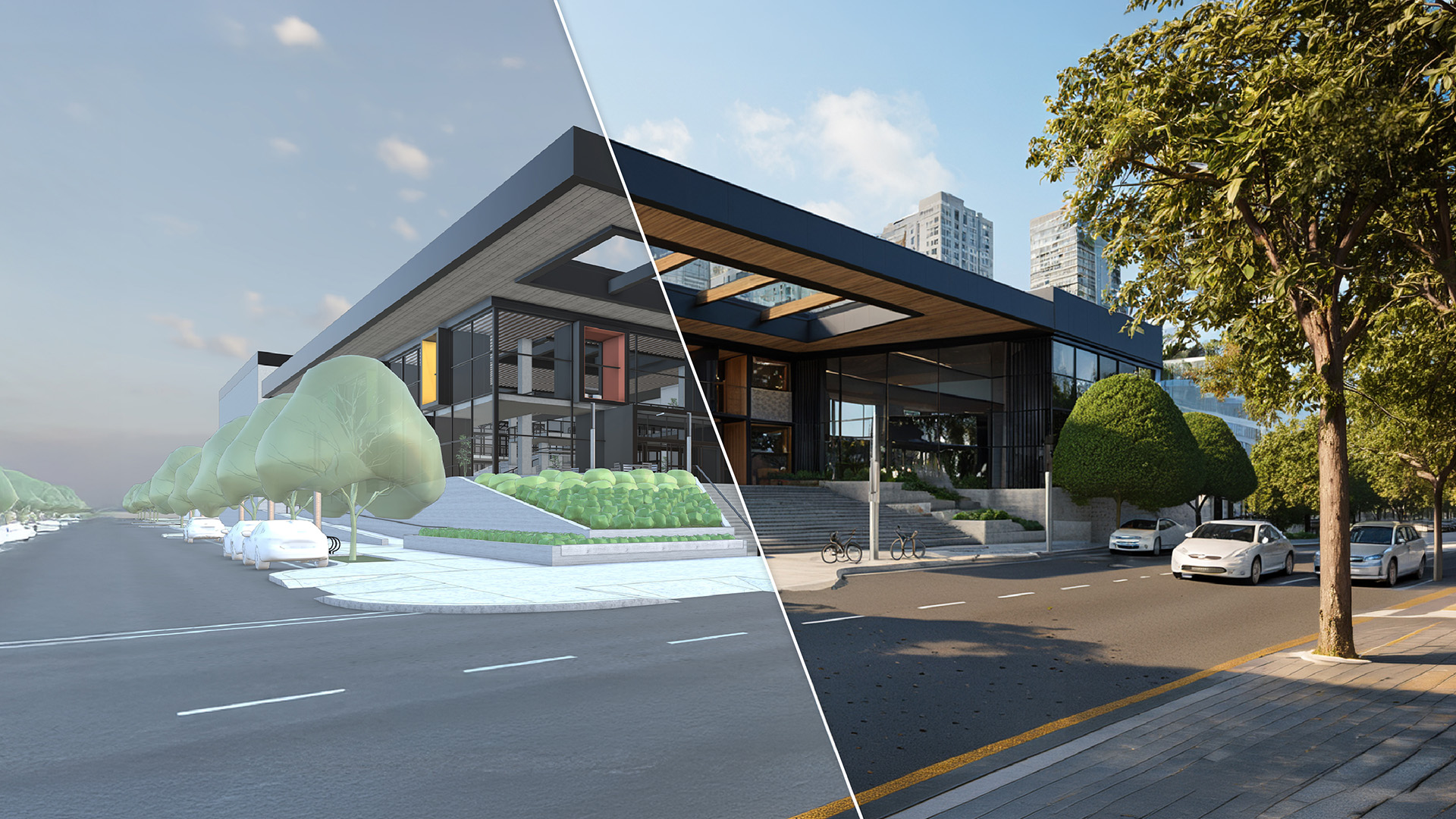
- AI Render: Generate photorealistic images from your model viewport with one click using the “auto” preset. For more control, presets, custom prompts, and model parameters are available. Results can be further refined with powerful in-painting tools. (AI Render is the new name for the Diffusion extension.)
- AI Assistant: Starting point for AI-driven workflows. Includes:
- Help Assistant: offers in-app guidance based on your questions.
- Generate Object: creates 3D objects with PBR materials based on text or images. Objects can be used directly in SketchUp or saved to a private collection in 3D Warehouse.
- AI Credits & Subscriptions
- SketchUp AI features work based on AI Credits.
- All paid subscriptions include default credits.
- Extra credits can be purchased via in-app purchase.
- PDF Import for Windows
- Single-page PDFs can be imported directly via File > Import or by drag & drop.
- PDFs are treated as image files (vectors and layers are not yet supported).
- Migrate Preferences
- Automatically migrate preferences, toolbars, and trays from a previous SketchUp version.
- In combination with Migrate Extensions, a fast and consistent transition is guaranteed.
- Tape Measure: Guide Points
- New: place standalone guide points at specific distances.
- Activate Guide Points via:
- Ctrl (Windows)
- Option (Mac)
- Or double-click the desired location
Fixes, changes, and improvements – SketchUp:
- Fixed: “Show Welcome Window checkbox” did not work for Studio or NFR accounts.
- Security issue fixed where malicious code could write out of bounds.
- Context menu right-click in empty model space changed: from “Invert Selection” to “Select All”.
- OBJ export units now correctly retain the selected unit.
- Fixed: user-defined file locations were sometimes not included during upgrades.
- Duplicate prompt to purge assets upon upload to 3DW resolved.
- LC sizing behavior adjusted for predictability; scale handles now correct negative values.
- (Mac) Extensions crash issue and toolbar uneditability resolved.
- (Mac) Intermittent crash when opening model from Trimble Connect resolved.
- (Win) Crash when closing with PaintTool active resolved.
- (Win) Crash when closing while pasting assets resolved.
- (Win) Title bar now correctly shows “2026”.
- (Win) Fixed: Trial expiration notification was displayed truncated.
Fixes, changes, and improvements – LayOut:
- Items in References section of Document Setup can now be sorted.
- Fixed: Dashes were not displayed in Vector/Hybrid, but were in Raster viewports.
- Bug in Experimental Graphics Engine fixed: dimming of entities outside the group.
- Auto-text update no longer causes z-order changes in Groups.
- Update Table Reference now works on “All” by default.
- Fixed: empty cells now correctly show fill color.
- Correction of scale handles when zooming out of page.
- Tables no longer support clipping masks.
- (Win) SketchUp Model Inspector: Styles panel UI updated.
- (Win) Configure Toolbar: Commands tab restored for better toolbar configuration.
- (Win) Bug fixes when panning with middle mouse and text selection.
- (Win) Paper Size drop-down smaller and scrollable.
- (Win) Color picker borders and highlights adjusted.
- (Win) Camera/Effects in Model Inspector no longer open expanded by default.
- (Win) Font search function in Style text fixed.
- (Win) Locked layer name can now be correctly edited.
- (Win) Rebinding of built-in shortcut no longer makes LayOut unresponsive.
- (Win) Tag section in Model Inspector now resizable.
- (Win) Crash on “update all references” resolved.
- (Win) Context menu > Relink File Reference issue resolved.
- (Win) Export page range validation for images & PDFs works correctly.
- (Win) Multi-select reordering of Pages and Layers resolved.
Revit Importer v1.2026.1.0:
- Support for .rvt files from versions 2015 through 2026.
- New UI for filtering on Phases and Categories, manually toggleable.
- Rooms and Spaces now import as unique components with tags and materials.
- Logging added in Windows Temp folder for troubleshooting.
- Metadata support improved: Revit Families Type and Instance parameters as separate attributes in Component Options.
Ruby API – additions and improvements:
- New methods for Extension Warehouse navigation and installation of .rbz.
- Stricter validation in Sketchup::ShadowInfo#[]=.
- HTMLDialog improvements: launchEW(id), installRBZ(url), hide method.
- Field of view validation adjusted and warnings added.
Ruby API – bug fixes:
- Sketchup::Tool#onKeyDown regression resolved (Windows, SketchUp 2026.0).
- Documentation issues resolved.
- Silent failures on non-invertible transformations resolved.
- Layout::Entity#transform! now correctly throws ArgumentError on invalid transform.
C API – additions and improvements:
- Capability to create linear/radial dimensions not associated with an entity.
SketchUp 2026
October 2025
Feedback in SketchUp (Collaboration):
- Commenting: Allows users to receive feedback directly in context, attached to specific 3D geometry. Comments support threaded conversations, image uploads, camera views, and emoji reactions for rich dialogue. This helps cultivate conversations with colleagues, stakeholders, and clients directly inside the model, without leaving SketchUp.
- Sharing permissions: Enables users to control who can access their model, specifying viewing and commenting permissions. This ensures secure sharing and protects intellectual property.
- Real Time Viewing: Viewers can see changes made to the model instantly as they happen, creating a single source of truth for everyone you’ve shared the model with.
- Camera Follow: Allows one user to follow another’s camera view or bring all collaborators to their current view, ensuring everyone stays in the same context during live sessions.
- Slideshow Mode (View Scenes): This feature helps guide viewers through the model one scene at a time, preventing them from getting lost and ensuring they focus on specific prepared views.
Documentation:
- New Drafting Tools: Includes Fillet, Chamfer, Trim, and Extend, now standalone 2D drafting tools.
- Scrapbook Entities: New and updated pre-made Window, Door, and Furniture elements added to LayOut’s Scrapbook, providing users with a richer, more extensive library of pre-made assets.
- Improved DWG Support: SketchUp Tags now translate to DWG layers upon export, text preservation is enhanced, and each LayOut page will export as an individual DWG.
- New LayOut UI Framework for Windows: A new UI framework unifies the user interface between SketchUp and LayOut on Windows.
- Performance: Includes numerous bug fixes and continued improvements to the drawing canvas [LABS].
Context:
- Scan Essentials Updates:
- Texture Projection: Enables projecting textures from point clouds onto 3D models for enhanced visual realism.
- Surface Mesh Tool: A new option in the Ground Mesh tool to project a quad-based grid onto point clouds in any direction, ideal for modeling facade or architectural elements.
- Scene Management: Display Point Cloud visibility settings in different SketchUp and LayOut scenes for consistent and improved visualization.
- Add Location | 3D Buildings: Import existing 3D buildings into 3D terrain to visualize designs in their real-world context, uncover urban opportunities, orient sun/shadow studies, and communicate proposals clearly.
Visualization:
- Ambient Occlusion (AO):
- Color AO: Offers more stylistic control in models and drawings.
- AO Scale Multiplier: Adjusts the scale of Ambient Occlusion for different project sizes.
- Invert Roughness: Expands control over roughness texture maps within Photoreal Materials with a new toggle in the Edit menu.
- Diffusion v2 [LABS]: Provides more control over AI rendering, leading to more realistic outputs. Features include negative prompts, preserve color, reference images, inpainting (erase, brush, sketch), and a history/gallery.
Important Note on Feature Availability: At the release date, collaboration capabilities is only available in SketchUp for Desktop and the Web viewer. They will not be available in SketchUp for iPad and Web editors yet. Full sharing capabilities are coming soon to SketchUp for Web and iPad.
SketchUp Viewers End of Life
August 29, 2025
Developer Trimble has decided to remove the SketchUp Viewers for Meta Quest and Android from its offering as of August 29, 2025.
Users who want to share their 3D models with customers, colleagues and other stakeholders are advised to share their projects via Trimble Connect or the ‘Share a link’ function in SketchUp
SketchUp 2025.0.2
April 2025
Tools
- Fixed an issue where the Rotate tool, when locked to an orientation, was not inferencing other points on an object when hovering over control points, snaps or rotation grips.
- Edges of rectangles drawn on a face in parallel projection mode will now be visible before you commit the shape.
- Fixed an issue where the Rotate tool protractor would switch to match the orientation of a control point under the cursor, even if the rotation direction was locked to another plane at the time.
Extensibility
- Clarified information around Environment documentation.
- Fixed an issue where developers were unable to unset the current environment with the Ruby API.
- Updated the Ruby API for PBR Materials to allow better Implementation of Setters for normal_enabled and ao_enabled.
- Updated the C API for PBR Materials to allow better Implementation of Setters for normal_enabled and ao_enabled.
- Addressed some GitHub documentation bugs.
- Updated Ruby documentation release notes with new OpenSSL version for 2025.0.
Miscellaneous
- Fixed a regression where textures on tags were not visible on geometry.
- Fixed several crashes related to a rotated array.
- Fixed an issue causing labels to not appear in Classic rendering mode.
- Updated the Scale Figure and Template files allowing for proper translation of the ThomThom scale figure description.
- Fixed an issue where selecting Don’t show this again in the Purge Unused dialog was not persisting across multiple sessions. Users will no longer repeatedly see this dialog box after opting to hide it.
- Fixed an issue where using the classic graphics engine, adding dimensions, and creating a new scene, would show the dimension text as black boxes.
- Fixed a graphics issue where combining Hidden Line with Color by Tag, and the tag is colored with a bitmap image, would not show the image on tagged faces.
- Addressed a security vulnerability by updating libTIFF to version 4.7.
- (Windows) Fixed an issue where files with non-English characters fail to open.
- (Windows) Fixed an issue where opening a .skp file from its saved Windows location resulted in an error if the file’s name contained non-English characters.
- (MacOS) Fixed an issue where, when in a top down view, drawing a new rectangle within the bounds of an existing rectangle would not show the new rectangle edges until the drawing was completed.
LayOut – Stability
- Fixed a crash that could occur when you update a SketchUp model.
LayOut – Miscellaneous
- Fixed an issue where dimensions would still appear when entering character strings besides ‘<>’,
- Fixed the Rotate tool behavior to enforce 15 degree snapping when rotating within the dotted rotate indicator arc.
- Fixed an issue causing labels which were copies from attached labels to move when an entity such as a viewport was modified.
- We fixed an issue when scaling the bounds of a model contained in a clipping mask, the clipping mask could inadvertently become selected.
- We fixed a bug where the proportional scale (shift) modifier prevented objects from being scaled smaller.
- We fixed a bug where viewport edit and output resolution wasn’t being saved and read back in properly.
- (Win) We fixed an issue preventing some exported DWG files from being opened.
- (Mac) We fixed an issue turning off fills for multiple selected dimensions.
C API Additions and Improvements
- Added APIs for physically based material properties.
- SUMaterialSetNormalEnabled()
- SUMaterialSetAOEnabled()
Ruby API Additions and Improvements
- Added APIs for physically based material properties.
- Material#normal_enabled=
- Material#ao_enabled=
Open SSL Update
The version of OpenSSL in Ruby is updated to 3.4.1.
Ruby API Bug fixes
- Fixed Sketchup::Environments#current= to allow unsetting the current environment.
SketchUp 2025
February 2025
Visualization
Photoreal Materials and Environments
Access photorealistic materials and environments directly within SketchUp. This functionality helps you visualize true-to-life materials, make informed design decisions, and create stunning visuals—without leaving SketchUp. Apply materials and see their effects in real-time, eliminating the need to render and wait for results. From simple concept renderings to high-quality photorealistic visuals, SketchUp provides powerful yet easy-to-use visualization tools.
Environments (Image-Based Lighting – IBL)
Create a realistic sense of place with environment lighting conditions that interact with photoreal materials. 360-degree HDR or EXR images act as light sources and reflect off materials, enhancing realism. These images (skyboxes) can serve as visible backgrounds or purely as light sources.
Photoreal Materials (Physically Based Rendering – PBR)
Achieve richer, more realistic visuals in SketchUp. PBR materials accurately depict texture and light absorption, helping designers make precise material and finish choices.
Ambient Occlusion (AO)
Enhance depth and realism with or without applied materials. This global style highlights edges and corners, adding visual emphasis.
Generate Textures
- Use AI to create texture maps for photoreal materials from images.
- Generate tileable textures from classic SketchUp materials.
Interoperability
Seamlessly move in and out of SketchUp while preserving data. SketchUp improves interoperability with Revit and IFC files, ensuring smooth collaboration and accurate project execution.
Building on 2024’s updates, SketchUp 2025 further enhances IFC and Revit compatibility, ensuring industry-standard file exchange for a seamless design workflow.
IFC Import
- Geometry Optimization – Reuses component geometries, reducing file sizes by up to 85% and speeding up imports.
- Tags for IFC Classes – Automatically generates tags for each imported IFC class, simplifying organization.
- IFC Class Recognition – Now supports over 180 IFC classes for better classification accuracy.
- Version Preservation – Retains original IFC version (2×3 or 4) for data integrity.
IFC Export
- Preserves Outliner Hierarchy – Maintains component structure for reliable IFC exports.
- New Component Dictionaries – Adds new PropertySets and classification folders to Component Options.
- Component Naming Updates – Ensures consistent IfcClass and IFC Entity names.
Revit Importer
- Import a Revit View – Choose specific 3D views from Revit files for more control over imports.
- Data Preservation – Retains critical metadata while recognizing IFC classes, supporting BIM workflows.
Scan Essentials
- Updated Iconography – New UI/icons for consistency across SketchUp tools, improving navigation.
Documentation
LayOut
- Visualization Support – Viewports now display environments, photoreal materials, and ambient occlusion for visual consistency.
- Move, Rotate, Scale as Standalone Tools – Works like in SketchUp Desktop for better control.
- Join & Split Selected Entities – New tools for better drawing control.
- Zoom Window – Drag a window to zoom in, with improved shortcuts: ‘P’ for Zoom Page, ‘Z’ for Zoom Window.
- Print/Export via Page Inspector – Select custom page ranges and export or print directly from the inspector.
Content Libraries
3D Warehouse
- SketchUp Content Library – Organized access to Live Components, PBR materials, and Environments.
- Live Components (Out of Labs) – Pre-built configurable objects for architects, interior designers, and contractors. Customize size, style, and materials for rapid iteration.
Additional Improvements
- Trimble Connect – Import, Save, Reload – Improved cloud-based component management.
- Apply Tags to Scenes – Control tag visibility per scene and toggle auto-visibility for new tags.
- Improved Rotate Tool – Rotation grips for groups and components improve usability.
- Rounding & Unrounding Corners with Arc Tools – Quickly apply or remove fillets with intuitive controls.
End of Life Updates
- Style Builder Removed – No longer included in SketchUp Desktop, allowing focus on improved visualization tools.
Style Builder End of Life
December 1, 2024
As from December 1, 2024, the SketchUp application Style Builder will no longer be (re)developed and will therefore disappear from SketchUp Pro, Studio and Higher Education Subscriptions.
This brings an end to the application that allowed you to convert your own pen, pencil or marker strokes into your own SketchUp style. Fortunately, with SketchUp Diffusion, Ambient Occlusion and the built-in and customizable SketchUp styles, you still have plenty of creative tools to maintain your own unique SketchUp presentation style.
SketchUp Viewer End of Life
June 20, 2024
As of July 9, 2024, the SketchUp Viewers for PCVR (VR sets connected to the PC) and Hololens will no longer be (re)developed and therefore disappear from SketchUp Pro, Studio and Higher Education Subscriptions. You will also no longer be able to download them from the Trimble My Apps page from that date. Activated versions will continue to work.
The SketchUp Viewers for Desktop, Mobile (including Augmented Reality Viewer) and Meta Quest do remain available in the SketchUp Subscriptions.
SketchUp 2024
April 2024
Ambient Occlusion
A new style setting that adds visual emphasis to corners and edges, increasing perceived depth and realism within the SketchUp interface. This style is also available in LayOut and on iPad.
Trimble Connect Integration
Trimble Connect is now a native integration within the desktop application. You can access your cloud-saved files almost instantly and saving your file preserves progress and updates the file’s version history in Trimble Connect.
Link Sharing
Generate view-only shareable models to distribute to colleagues and clients. The recipient doesn’t need to have the software installed.
Ground Mesh in Scan Essentials (Studio only)
Quickly and efficiently turn a terrain point cloud into an accurate, quad-face based, ground mesh with a chosen resolution. The Ground Mesh tool automatically extracts terrain information – whether from a full point cloud, a segmented or classified cloud. Choose from Fit Cloud, Rectangular, and Bounded options.
Scan-to-Design (LABS) on SketchUp for iPad
Scan existing spaces and watch as SketchUp transforms your scan data into clean, organized 3D geometry, creating an immediate starting point for conceptual design.
Add Location
Simplify the process of adding site terrain to your model. Adjust contour and tessellation density to suit your needs with the mesh density slider. Select low density for lighter, faster files and higher density for more detailed and precise terrain.
New Graphics Engine for SketchUp
Experience substantial upticks in re -draw and model load speed when you orbit, zoom and pan. You have the option to toggle the new engine off or on based on your hardware and system.
New Graphics Engine for LayOut (LABS)
LayOut’s new graphics engine brings the on-screen drawing of SketchUp and LayOut entities into a more modern infrastructure and improves performance in file navigation and responsiveness.
Draft Mode in LayOut
Enabling the Draft Mode in LayOut improves speed and responsiveness as you navigate or draw in your file – especially noticeable with heavier, more complex files.
IFC4 updates
Benefit from enhanced mapping to IFC class attributes, and maintain data-rich models for improved project performance and BIM exports.
New 3D file formats
Import and export support for USDZ and gITF file formats.
Versionless
Now you don’t need to ‘Save As’ to access documents in 2022 or later.
Omnibar on SketchUp for iPad
New navigation tool with advanced search functionality that helps you find what you need faster and allows you to create and activate custom keyboard shortcuts.
Read more about SketchUp 2024 in this blog.
SketchUp Viewer for Meta Quest
October 17, 2023
SketchUp Viewer for Meta Quest is available for the Meta Quest 2, Meta Quest Pro and Meta Quest 3 VR headsets.. AEC professionals and their customers can view and present 3D models using immersive technologies that enable interaction between the physical and digital world.
SketchUp Viewer for Meta Quest is a free viewing application for anyone with a Meta Quest headset. To create 3D models on desktop, mobile or web, you need a SketchUp subscription.
SketchUp 2023.1
September 7, 2023
New Iconography
All toolbars and associated tools have been redesigned to have the same look and feel as SketchUp for Web and SketchUp for iPad.
Snaps
Very easily connect groups or components in predefined ways.
Horizon Color
Convey the perfect mood with different colours for the horizon.
Render Controls in LayOut
Work faster in LayOut with a lower viewport resolution and export the final result at high resolution.
Auto-Associate Labels
More automation, as annotations such as titles and scales are automatically updated.
SketchUp for iPad 6.2
March 16, 2023
Hover
Hover over the iPad with Apple Pencil (only available on the new M2 iPad Pro) to find mid and end points, draw without guides or assistive geometry, align objects or see tool prompts.
Custom Toolbars
Create two customizable toolbars with eight of your favourite tools.
Save As & Reload
Work independently on different parts of a 3D model and test alternatives with these new features.
Flip
Mirror components easily and predictably over the visualized surfaces.
Dark Mode
Dark mode to prevent tired eyes in the evening.
Tag Folders
Create and edit Tag Folders, which also work on Desktop and Web.
Solid Tools
Use 2 or more objects to create new geometry.
DWG Import/Export
Import and export DWGs on SketchUp for iPad.
SketchUp 2023
February 2023
Flip Tool
Flip transformations will no longer be guesswork in 2023. With the new Flip Tool, the result of the flip transformation can be visualized in advance, saving you precious time with predictable modifications.
DWG-file as a reference file in LayOut
In LayOut, you can now also use a DWG file as a reference file. Receive notifications when a file is outdated or changed and update or relink it using the File Reference Manager. All style changes, such as line thicknesses, scale and viewport positions, are retained!
Revit Importer in SketchUp Studio
Convert Revit models seamlessly into SketchUp files for improved collaboration between project phases and different design teams. Revit families and layers are hereby translated into groups, components and tags in SketchUp. This saves you hours of cleaning up models.
And more…
- New Windows Installer with the additional options for SketchUp Studio: Scan Essentials, V-Ray and the new Revit Importer
- Faster storage of large models using multithreading
- Improved Rotate Tool in LayOut
Read more about SketchUp 2024 in this blog.

SketchUp for iPad 6.1
October 19, 2022
Presentation Mode
- Curate that perfect walkthrough with a client, virtually or in person, with a simple user interface and easy-to-use presentation controls.
- Mark up a 3D model in real-time with a client to streamline collaboration.
- Drive the conversation forward by sliding to your next pre-built, 3D scene.
- Let collaborators get hands-on with their feedback, with some guardrails. Lock the model viewport on your iPad, so they can view the model without the risk of accidentally editing geometry. Or, give the Apple Pencil to collaborators and let them mark up overtop your model while in Presentation Mode.
Teamwork
- Share your 3D model with anyone (even non-SketchUp users) using a link.
- Enjoy real-time updates; making changes to your models will prompt collaborators in-app to refresh for the latest version.
- Revoke access at any time by stopping link-sharing.
Outliner
Now, you can organize objects in a clean hierarchy and control their visibility within the Outliner tree.
Other improvements
- Use the Rotated Rectangle tool to draw rectangles at precise angles in fewer clicks.
- Add text in 3D to your model with the 3D Text tool. Type into the dialog panel, adjust the text and watch it come to life in 3D.
SketchUp for iPad
April 19, 2022
Experience SketchUp in New Ways
- Work on the go, whether you’re working on or offline;
- Create in 3D with the ease of drawing manually without sacrificing precision with the Apple Pencil;
- Access projects anywhere thanks to the mobility of iPad;
- And share creations while traveling through AirDrop, text, email, or sync files with your favorite storage app.
Auto Shape
With this new machine learning feature, you transform scribbles into 3D shapes in an instant. Even better, you can bring in Live Components: parametrically configurable objects that redraw themselves in real-time. What a time saver!
Markup Mode
Do you like to edit designs with a red pen? Well, there’s a great solution for this! Using the Apple Pencil, make notes and sketches on 3D models with a variety of styles, colors and strokes. When you’re ready to turn those red lines into actual designs, use the Apple Pencil to quickly iterate in 3D.
AR View
Experience your projects in the context of reality with iPad’s powerful augmented reality view capabilities. You’ ll walk through pre-stored scenes in AR and explore your model at a very intense 1:1 scale.
Draw Your Way
Use Apple Pencil, mouse and keyboard, or multi-touch gestures to create in 3D. Whatever feels right for you!
Add Foto-Texture
Draw inspiration from the real world into your projects using your iPad’s integrated camera. Take a photo and apply it as texture to any surface in your model. Simple.
Always Connected
Trimble’s cloud-based project management solution, Trimble Connect, is now at your fingertips. With Trimble Connect, you work on your preferred device – ranging from SketchUp Pro, SketchUp for iPad, to SketchUp for Web. You’ ll always have the most recent file, so you’ re always ready when the work demands it.
Cross-App Functionality
SketchUp for iPad also functions perfectly with other apps. With the USDz export feature, you can create in 3D in SketchUp for iPad and then draw or paint in various other apps, such as Procreate and Morpholio Trace.
SketchUp 2022
January 2022
Support for Apple M1, macOS Monterey and Windows 11
Search Tool
Quickly find and activate native commands and installed Extensions.
Lasso Select Tool
Draw custom selection bounds without reorienting the camera, create multiple discrete selections in one click-drag operation and select entities much faster with stylus inputs.
Tag Tool
Improve model organization by tagging objects directly in the modelling window.
Stamp Copy
Make multiple copies of an entity and stamp them with a simple click for naturally dispersing objects across a given area.
Freehand Tool
With smoother curve entities, you can create organically drawn lines and Follow Me extrusions with more natural variance.
Scene Search
With Scene Search, a new search filter adjacent to the Scenes tab, you can now quickly identify and jump to your desired scene.
Tangent Inference Lock
With the 2-Point and 3-Point Arc tools, you can now quickly specify and lock arc tangency from an existing edge or arc, allowing you to create curved faces in a shorter amount of time.
Other improvements in SketchUp
- Explode command now 2-3x faster
- Less ‘clipping’ in displaying geometry
- Improved Tape Measure tool: the Measurements box now will hold the value of a guide or measurement, even if you move your cursor
- Maximum image export size based on available system memory
Auto-Text in LayOut
Without further text processing, use automatic tags to, for example, quickly annotate drawings, create numbered pages, and index legends or use the information embedded in SketchUp models to create more powerful and efficient templates.
Find & Replace in LayOut
Replacing or changing certain text (parts) in a selection, a page, or a document is a much quicker process.
Zoom Selection in LayOut
Jump to your desired Zoom level in a given selection in LayOut, lowering the likelihood of unwelcomed

SketchUp 2021.1
June 8, 2021
Modifier Toggles
The most explicit change is that more tool modifiers behave as toggles that can be turned on and off by tapping a key. This means fewer press-and-hold modifier interactions for tools and more predictable modeling outcomes.
For any tool, you can identify what modifiers are available in the Status Bar (at the bottom of the screen) and confirm the current modified state of the tool by examining the cursor or on-screen modeling behavior. With more modifiers behaving as toggles, we think it’s easier to switch the tool state before you complete a given operation.
Sticky Modifiers
Persistent modifier tool states across multiple operations. This means being able to make multiple copies of objects with Move or being able to hide edges with Eraser across view changes using Orbit. To get out of a modified tool state, either hit the modifier key again or change tools.
Pre-lock Inferences
As you may already know, many SketchUp tools feature the ability to ‘pre-lock’ an inference direction or drawing plane. In this release, this pattern has been applied to other tools. You’re now able to pre-lock an inference direction before the first click with the Line, Tape Measure, and Move tools.
Push/Pull Updates
In SketchUp 2021.1, you’re likely to notice some differences with Push/Pull. In addition to making the Push/Pull Copy modifier a persistent toggle, Push/Pull’s hidden modifier, Stretch, has been also formalized.
Stretch is a modifier state that has actually existed in SketchUp for years but has never been referenced in the Status Bar or the Push/Pull cursor. ‘Stretching’ a face is roughly equivalent to moving a face perpendicular to its drawing plane, and especially useful at the earliest stages of form development.
Alongside improvements to Push/Pull noted above, a change to the front-face orientation when modeling in SketchUp has been made. Now, SketchUp will always orient newly drawn faces with the front side facing up, when drawing on the ground plane, and with the front face ‘facing’ the camera in other cases. For example, if a face is drawn over the top of an existing face, the new face will still inherit the orientation of the face that it is drawn on. Push/Pull and Follow Me operations behave more predictably with these changes, resulting in correctly oriented faces.
Performance Improvement for Big Mesh Extensions
Some SketchUp extensions are designed to create or manipulate large amounts of geometry. Of course, the bigger the mesh an extension is adding to SketchUp, the longer it will take to generate. We’re pleased to announce an improvement to how efficiently SketchUp’s API generates large meshes. Once you get meshes above 20,000 polygons, the improvement is especially noticeable. If you’re eager to explore this new API, check out extensions such as Artisan, SubD, Bezier Surface, and Skimp.
Updates to the Extensions Menu
Going forward, the Extensions menu heading will always be visible, regardless of whether extensions have been installed there or not. Extension management and developer tools has also been relocated to this menu.
Unit Translation for Live Components
Live Components continue to evolve in SketchUp Labs to make them more useful. Specifically, Live Component parameters now display in the same unit format that you are using in your SketchUp model. So, when you are lining up a measurement with the Tape Measure tool, it’s a lot quicker to type that measurement into a Live Component parameter.
2021.1 also includes an improvement in the draw time of Live Component editing.
IFC 4 Classification and Export
In addition to support for the IFC 2×3 schema and file format, SketchUp Pro now includes an IFC 4 classification set and the ability to export IFC 4 files.
LayOut Improvements
In 2021.1, a faster way to set the scale of a viewport has been introduced. Now, you can simply type in the desired scale in the Camera tab of the SketchUp model panel. This new type-to-input will neatly parse a number of inputs: 1:50, 1” = 50”, 1/50, .02, 2%, or even 6” = 25’ will all quickly apply a 1:50 scale to a viewport.
SketchUp 2021
November 2020
A new look for the SketchUp brand
After eight years, SketchUp has unveiled a new style to continue the evolution of the product and brand. The new logo is derived from the simplicity of a cube and built using advanced tools within SketchUp. So, it’s truly a shape built in 3D. Plus, the new style meshes well with the rest of the Trimble ecosystem.
PreDesign: a new way to start SketchUp
Subscription only!
Alongside SketchUp Pro 2021, the brand-new early-stage research tool, PreDesign, is launching. This tool provides designers of buildings, outside spaces, and master plans with the information they need to properly factor climate insights into their initial concepts, getting designs started in the right direction before the modelling process begins.
PreDesign improves design outcomes—projects will be better informed and designers will have more information to influence preliminary solutions. Knowing this, Predesign will be a new way to ‘start’ architectural design projects in SketchUp.
Live Components
A new type of configurable object for SketchUp. These components will be available for all users to find, download and configure live in SketchUp!
Users can access live components (example) by opening 3D Warehouse and navigating to the collection of models – hosted by SketchUp Labs. Simply choose an object and insert it into your SketchUp model. When you double-click to edit a Live Component, the ‘Configure Live Component’ dialogue will allow you to control the components ‘parameters’. Unlike Dynamic Components, Live Components redraw themselves as you make adjustments.
Better model organization
Create 3D models that are simply better than anything else out there, especially large complex models. That’s exactly why SketchUp 2021 has a much better model organization:
- Tag Folders – It will be easier for designers who maintain large and complex models with a long list of tags and scenes. With Tag Folders, you can organize and catalogue tags based on attributes, building levels, or design options. This feature is also available in LayOut, allowing users to turn off/on bigger chunks of a model viewport when composing 2D drawings.
- Tag Filtering – The new filtering option in SketchUp’s Tags panel makes it a lot easier to search for tags in your model and quickly control individual tag visibility, make tag-based selections in the modelling window, or edit tag properties and styling. If you have long tag lists organized with a particular naming hierarchy, tag filtering will rapidly speed up the creation of folders allowing you to filter down to a prefix and add the tags you’re looking for.
SketchUp Labs
Live Components is the first feature released under a new program called “SketchUp Labs”. The SketchUp Labs program represents a change in the way SketchUp develops and releases features. Features released as part of this Beta program are still under development, but provide value to the user community.
Releasing a Labs capability will allow SketchUp to collect feedback earlier so they can better prioritize future development. Features that are part of the Labs program may be less polished, but it figures that’s well worth providing new features to customers faster and being able to test them earlier in real workflows.

SketchUp Pro 2020.2
August 12, 2020
Linear Inference Toggles for the Line Tool in SketchUp
Inferences allow you to work conveniently in SketchUp, but they can also get in the way of details or tracing images, for example. That’s why the Line tool now lets you use the ALT key on Windows / CMD key on macOS to turn the inferences on / off.
Weld Edges in SketchUp
‘Weld Edges’ has been added to SketchUp’s native tools. This means you can merge edges and arcs into a single polyline without installing an extension. To merge edges and arcs, right-click and select ‘Weld Edges’.
LayOut: Control Line Width, Colour, and Pattern by Tag
Creating various scenes and stacking viewports is no longer necessary to make impressive 2D drawings. The line style of SketchUp tags can now be determined in LayOut. You can now determine the edge width, color, dash pattern and dash scale in one simple viewport.
LayOut: Smoother Operations in Larger Documents
Good LayOut documents are an arrangement of viewports, images, vector graphics, and labels. This makes operating on selections gets slower. To help speed up larger files, LayOut now previews these transformations instead of drawing them in real-time as you work with a selection. When you complete a move, copy, or scale operation, LayOut then redraws your action. This is a subtle change, but it brings a new feel and a lot more efficiency to LayOut.
SketchUp Pro Subscriptions
June 2, 2020
On June 2, 2020, SketchUp developer Trimble announced a significant change in how customers could purchase SketchUp products. As of November 4, 2020, SketchUp Pro Classic, Permanent Licenses, and Maintenance renewals were no longer available.
There were several reasons for SketchUp’s shift to subscription-based products. With a subscription, users received regular updates, dedicated technical support, simplified authorization via login, and access from multiple devices. Additionally, the subscription provided access to extra products and services such as;
- Trimble Connect Business for unlimited cloud storage,
- Viewers for Hololens, Virtual Reality, and Augmented Reality,
- Premium Browser version of SketchUp.
SketchUp Pro 2020.1.1
May 28, 2020
This is a Windows only update to fix a frequent crash that occurred with users on the positive side of the UTC time standard (for example UTC+01:00). This crash would occur due to an error encountered when converting some local times to UTC when reloading a SketchUp file then saving.
SketchUp Pro 2020.1
23 april 2020
Empty Objects
You can now right-click on an empty space and create a grouped object or component from scratch. A pop-up window will allow you to name the component right from the start. So, no more glued geometry and therewith a better organized model.
Scenes Panel
Hidden geometry and objects can be saved on a Scene-by-Scene basis. This gives you better visibility control per Scene.
Section Planes & Scenes
You can now save Section Plane visibility per Scene. Before, only top-level visibility for Section Planes could be saved per Scene.
Hidden Objects are Now Editable
If you select a hidden object in the Outliner, it will appear as a mesh so you can easily make edits.
Control Visibility of Multiple Objects in Outliner
You can select multiple objects in Outliner and control the visibility of all selected Objects.
Improvements to Grips
You can now use the Rotate tool when toggling through all grips – just like the Move tool!
LayOut: Performance Improvements
Faster selection and deletion in LayOut.
LayOut: Improved Select Tool
When you click-drag to create a crossing or window selection, you won’t mistakenly move anything now!
SketchUp Pro 2020
January 2020
Introducing Outliner
A BIG model organization change: Outliner. In an effort to increase model performance, you no longer have to create Layers upon Layers. Manage and organize your model straight within Outliner. Use the friendly eyeball icon to toggle between the major sections of your model, such as main floor plans and furniture.
New grips on bounding boxes
When you grab a point that is obscured in an object (such as a back corner or centre point) and start to move it, your object will automatically go transparent when something in your model interferes with the object you are moving. This works with both the Rotate tool and the Move tool. This will literally ‘transform’ your workflow. Don’t take our word for it: start positioning objects in hard-to-reach places to see what happens!
Better control of hidden objects
You’ll notice in your drop-down menu that we separated hiding objects from hiding geometry. How will this change your workflow? Well, this will give you the ability to better manage hidden geometry and hidden objects for an even easier modelling experience. For example, let’s say you want to edit hidden edges in a landscape or smoothed surface, but you still want to be able to hide objects that are nearby (like trees, bushes, or a building)…well you can do that now!
Updates to your SketchUp dictionary
SketchUp has a few updates to the naming conventions it uses when talking about SketchUp. This won’t change your workflow…but it makes sure you know SketchUp is saying a few things differently now.
Here’s the run-down! Objects are now a collective term for groups, components, and dynamic components. This just means we don’t have to say “groups (slash) components” anymore. Also, Layers are now referred to as “Tags”. Keep in mind that these two terms are merely naming conventions and won’t influence your workflow.
LayOut 2020: document control
It’s all about taking back control… document control that is! The focus for LayOut was on improving the interaction between SketchUp & LayOut to save you time and [brain] energy. This means way less back and forth in SketchUp updating scenes to ensure your drawing comes out perfectly. Now you have more editing ability, directly in LayOut.
More power to adjust model views
LayOut now understands a lot more about your SketchUp model and what you’ve overridden. This means you can safely change a style or camera angle directly in LayOut without accidentally losing your changes (!!).
How do you know what’s different in your LayOut viewport versus your model? When you make changes in LayOut, parts of the menu bar will go dark grey, alerting you that you’ve made an override. Keep in mind: just because you made some changes in LayOut, doesn’t mean you’re stuck with those. You can always resync your viewports back to your SketchUp model if needed.
Improved customization of your drawings
Take those LayOut docs to the next level with different models and views. If you have one SketchUp model that exists across several viewports, you can now relink just one of those viewports to another SketchUp model. Previously, you had to delete that viewport, insert a new SKP model, and reset all your scale settings and viewport sizing. More efficient now? Yes!
And that’s not all! You also can toggle Tag visibility — straight in your LayOut doc! What does this mean for your workflow? You don’t have to create extra scenes just for your LayOut files, saving you a ton of time going back and forth between LayOut and SketchUp.

SketchUp Pro 2019.3
October 22, 2019
The third Maintenance Release of SketchUp Pro 2019 included support for the new macOS Catalina (10.15) and introduced a new login system for accessing various services.
New Login System
A login system was introduced for users of both Subscriptions and Classic Licenses. This occurred through an external browser window to access 3D Warehouse, Extension Warehouse, Trimble Connect, and ‘Add Location’. This meant that users of the SketchUp Pro Classic License also needed a Trimble ID or Google ID to access these services.
SketchUp Pro 2019.2
July 18, 2019
The second Maintenance Release of SketchUp Pro 2019 included several performance and stability improvements as well as some new and improved features:
- Transparency of materials when exporting a PNG;
- Setting line scale when exporting an image;
- Improved file import: drag and drop directly into the drawing, as well as fewer double and messy edges on DWGs and DXFs;
- Dimensions in several units, e.g. millimetres for the length of a wall and square metres for the surface of a floor;
- Invert Selection;
- Undo selection of accidentally selected lines with the eraser tool;
- Easier to place cross-sections that also get a name after placement;
- ‘Send to LayOut’ button in the Large Tool Set to send the 3D design directly to LayOut;
- Improved dimensions in LayOut with e.g. isometric dimensions;
- Subscription only: easily import large sites at full resolution with ‘Add Location’.
SketchUp Pro 2019
February 2019
SketchUp Pro – New Features
Welcome Screen:
- Files tab: direct access to New, Recent and Recovered projects;
- Learn tab: access to SketchUp’s Learning Management, forum and YouTube channel;
- Licensing tab: easily access information related to license(s).
Toolbar
‘My Account’ icon in the top upper-right-hand side of the screen, where users can manage account preferences and license(s) from the online account management portal, and sign out.
Line Styles
Add dashed lines to demarcate a property boundary or locate places for demolition.
2018 DWG / DXF import and export
Tape Measure tool
The length of selected edges, areas of faces, and coordinates of guides and intersections can be viewed from an inference tip.
LayOut – New Features
File Locking
If a file is opened in two separate LayOut instances, it will temporarily lock the file as “read-only” preventing unintentional edits.
DWG support
It is now simpler to export and adjust units when importing DWGs.
Dashed Lines
With the introduction of dashed lines in SketchUp, LayOut now can modify how those line styles are displayed.
SketchUp Export
‘Export for SketchUp’ has been added to the DWG/DXF exporter, so that SketchUp better interprets the data, groups are read as components and fills/patterns are read as faces.

SketchUp Pro 2018
November 2017
SketchUp Pro – Nieuwe Features
- Filled Section Cuts;
- Section planes have names and symbols, making them easy to find, organize, and edit;
- Section planes are now an entity in SketchUp Pro: search for them in the Outliner, group them and control visibility at the Layers panel;
- Components now feature attribute fields like price, size, URL, owner and status;
- Aggregated Reports: ‘Generate Report’ now aggregates component data so you can do things like configure reports to sum parts and quantities for schedules and cut lists, or create detailed estimates by adding up prices by layer;
- BIM: improved IFC export to collaborate even better with other 3D applications;
- Draw rectangles from its centre, just like polygons and circles;
- STL import and export for 3D printing;
- Anti-aliasing on Mac;
- Improved upgrade: settings and preferences will be taken over from an older version.
LayOut – New Features
- Scaled vector drawings: no more recalculating, select the scale and draw 1:1 on A4 format for example;
- Direct DWG import;
- Editing groups work the same as in SketchUp, so the visibility of the rest fades away temporarily;
- Accuracy until 6 digits behind the comma;
- Multi Viewport: displays a dimension between 2 views of the same design;
- Label information will also show the new advanced attributes;
- Lock entities for better control over the document;
- Improved drawing tools.

SketchUp Pro 2017 M3
September 21, 2017
SketchUp Pro and LayOut
The release fixed several potential compatibility issues for those who upgraded to macOS High Sierra (macOS 10.13).
SketchUp Pro 2017 M1
December 12, 2016
- SketchUp: Fixed an issue in which SketchUp could not be launched due to an OpenGL error on some machines;
- SketchUp: Fixed a crash that could occur on startup on some machines;
- SketchUp: Fixed an issue in which layers were not sorting correctly when sorting by visibility in the Layers dialog;
- LayOut: Fixed an issue when inserting an Excel file containing unicode characters on the sheet tab title the file would fail to load
SketchUp Pro 2017
November 7, 2016
SketchUp Pro – New Features
Performance Improvements
This release contains some major improvements to the graphics pipeline, resulting in faster orbiting and drawing.
Transparency Improvements
Transparency is now rendered at higher quality and faster too! SketchUp is also better at displaying multiple transparencies to provide a more realistic sense of depth across several clear faces.
Smart Offset
No more overlapping and self-intersecting geometry, just hit ‘F’ for clean offsets!
Perpendicular Face Inferencing
Hover a face and SketchUp will helpfully snap to its perpendicular.
Righteous Rectangles
The Rectangle tools now support arrow-key axis-locking.
High-DPI Modeling
Tuned snapping and inferencing, and smart-scaled edge weights on high-definition monitors.
Colour Blindness
Customization for the colours that display SketchUp’s axes and inferencing, so that people with colour blindness can tweak the colour schemes to make SketchUp just work for them.
Easier Storage
Customizable storage paths for components, materials and templates.
Extension Manager
A new utility with a one-look view of your SketchUp extensions, making it easier to toggle on and off custom tools.
LayOut – New Features
Tables
Great documents come with important information. That’s why you could now add tables to LayOut: from scratch or import a .csv or Excel. LayOut references your original spreadsheet, so updating is also as easy as ‘Click’.
High Fidelity DWGs
LayOut’s DWG exporter has been overhauled and now offers One DWG with separate tabs with multipage documents; LayOut entities like dimensions, clipping mask and labels will now longer explode into raw geometry and behave as expected in AutoCAD; LayOut exports are now smart enough to self scale for paper size or model space; ‘Color-by-Layer’ option, so all entities on a given layer may export as one color.
Easier Selecting
Select an object in LayOut without accidentally moving it.
Persistent IDs
Points, edges and faces now have an identifier. When making a change to a SketchUp model, any LayOut dimensions associated with the model update to reflect the edit.

SketchUp Pro 2016
November 18, 2015
SketchUp Pro – New Features
Support for Mac OS X El Capitan and Windows 10.
Trimble Connect is now integrated into SketchUp Pro. Connect is Trimble’s platform for storing, syncing, referencing, sharing and collaborating on design and building projects. Trimble Connect will be accessible directly from the File menu and will allow users to upload, download and update SKPs from the project folders.
SketchUp Pro 2016 allows the user to reload 3D Warehouse models. Every instance used in the model will be reloaded, so it is a helpful method for working with proxy models if you break something or collaborate through the warehouse.
SketchUp Pro 2016 offers slicker inferencing and locking. This improvement is an entire set of smart tweaks to inferencing and locking, including off-axis inferences, expanded arrow key locking, improved arc/circle inferencing, axes tool flexibility and inference hidden section planes.
SketchUp on Windows now has customizable utility trays, which means the user will be able to group dialogues under separate tabs.
In SketchUp 2016, the material library has been refreshed with 40 new contemporary textures and entirely new categories.
High DPI toolbar icons, cursors and graphics for a much cleaner look and better display on high-res screens.
Extension security control system that lets users control which extensions will load:
- Off: SketchUp will load any extension;
- Approve Mode: users will be prompted to load a non-certified extension;
- Secure Mode: only certified extensions will be loaded.
Improved SketchUp C API with over 100 new classes and functions.
LayOut – New Features
LayOut has an improved layer system, including multi-layer groups, maintaining layers when copy/pasting, a ‘Move to’ layer command, differentiating between shared and non-shared and layer visibility on new pages.
Say goodbye to missing references! With this release, LayOut’s reference objects are now web-friendly. This means that LayOut projects can reference and update files that are stored and synced with services like Dropbox, Google Drive and Trimble Connect Sync. LayOut will notify the user when there’s an update for the web reference available.
LayOut now has small dimensions to ensure that text never interferes with arrows or lines.
Optimized PDF export from LayOut with up to 10x smaller documents.
With the LayOut API, developers can build extensions to automate the creation and customization of .layout files from SketchUp models.

SketchUp Pro 2015 M3
February 5, 2015
SketchUp Pro 2015 M3 was the third service release for version 2015. M3 is a small update with several bug fixes:
- Fixed an issue where a Rotated Rectangle would incorrectly rotate when entering a length/width without an angle;
- Fixed two crashes with the Push/Pull tool when using the VCB;
- Fixed a crash with the Offset tool when using the VCB;
- IFC: added the ability to export transparent materials;
- IFC: added the ability to export geometry that was classified as IfcSite, IfcBuilding, or IfcBuildingStorey;
- A few bug fixes in LayOut;
- And more…
SketchUp Pro 2015 M2
January 12, 2015
SketchUp Pro 2015 M2 was the second service release for version 2015. M2 is a small update with several bug fixes:
- Fixed a crash that occurred at program startup on some computers;
- Fixed a crash that could occur while exporting certain complex models;
- Fixed a crash that could occur when changing the number of segments in a circle or polygon;
- Added all currently supported IFC export Types to the IFC exporter Options dialog;
- Fixed a rare crash in LayOut that would occur during the close process;
- And more…
SketchUp Pro 2015 M1
December 4, 2014
SketchUp Pro 2015 M1 was the first service release for version 2015. M1 is a small update with two bug fixes:
- Windows: SketchUp crashed when installed on an external hard drive;
- LayOut (Mac): flyout picker button disappeared as you typed custom text.
SketchUp Pro 2015
November 4, 2014
SketchUp Pro – New Features
64-Bit
Besides an overall speed increase, this is especially an improvement when working with complex models, exporting images and animations or using a rendering plugin.
Friendlier Licensing
Licenses can now be used on a Mac or a PC. Also, networked licenses have been made easier too.
New Arc Tools
Two-point arcs will be displayed as a tangent arc instead of a dotted line. A three-point arc allows drawing an arc by specifying 3 points. The pie-tool contains a protractor now.
Rotated Rectangle Tool
Rectangle can be created in arbitrary orientations during creation.
Face Finder
This tool, which creates faces when modelling, has been improved and will make actions like ‘Explode’ significantly faster and even more reliable.
BIM-Tools
FC import is also possible now and the classifier tool has been enhanced
Fast Styles
Special badges have been added to indicate whether the Style being used will help SketchUp’s rendering performance.
Improved Polygon Tool
The polygon tool now allows the creation of both circumscribed and inscribed polygons via a modifier key (Ctrl on Windows, Option on Mac).
Materials
Delete all materials in a model with one click.
LayOut – New Features
64-Bit
LayOut is also 64-bit now, enabling speed improvements when working on large documents.
Two segmented labels
The new two segmented leader labels can easily be aligned with other labels to give drawings a polished and professional appearance.
Autotext labels
A label can display information from the model at choice now, like a BIM classification, an attribute of a dynamic component or simply the surface of a face. Because the labels are auto-text, the labels will automatically update when updating the 3D model!
Spell Checking
The Windows version now has spell-checking (only Windows 8.0 and 8.1); Mac already has this feature.
Multiselect
Perform actions on more than one layer or page by shift-selecting multiple layers or multiple pages.
Dynamic Vector Model Loading
Vector models will now load when the page is viewed instead of when the document is loaded. This offers a performance increase when documents are opened.
Shared Connections
Possibility to make connections between entities and autotext on shared layers.
Infrastructure
The versions of some of the 3rd party libraries have been updated. These include the PDF exporter and the UI and text editor on Windows.

SketchUp Mobile Viewer – Android
July 10, 2014
Version 1.0 of the Android viewer is officially available for devices with a 7-inch or larger screen size, running Android 4.0 (Ice Cream Sandwich) or above. It is highly recommended that your device have at least 1024Mb of RAM.
SketchUp Mobile Viewer – iOS
April 15, 2014
The SketchUp Mobile Viewer app lets you explore, and present SketchUp models on your iPad. The app’s touch interface provides navigation controls for Orbit, Pan, and Zoom, allowing you to swipe and pinch your way to 3D nirvana. And you’ll notice that models are rendered with certain Style settings based on your Last Saved View, including the Sky, Ground, and Background colour, as well as Face settings.
Additional navigation controls include a Zoom Extents tool and a Cameras list that gives you access to SketchUp’s standard camera views (Top, Front, Left, etc) along with any camera positions that were saved as Scenes in your model.
After starting up the app and logging in to your 3D Warehouse account, you’ll find your public and private 3D Warehouse models displayed on the home screen. From there, you have the option to view your models and/or download them for offline use.
The SketchUp Mobile Viewer also lets you search and browse the entire public 3D Warehouse, meaning you can explore the millions of glorious creations available in what we consider to be the biggest and best repository of 3D models out there. After clicking a search result, the app’s detailed view provides a high-resolution thumbnail along with key model details like title & description, author name, and file size.
SketchUp Pro 2014
february 27, 2014
SketchUp Pro – New Features
Renewed 3D Warehouse
3D Warehouse has been rebuilt from the ground up, which makes it easier to use. All models work with a full 3D preview and contain information like file size, number of polygons and used materials.
BIM Tools
Tag geometry with industry-standard object types (walls, slabs, roofs, etc.) and export it as an IFC file for use in other BIM applications.
New Arc tools
Create arcs in three different ways.
Faster Shadows
An average speed improvement of 15x when working with shadows in big, complicated models.
LayOut – New Features
- Faster vector rendering for reducing wait times with large models;
- Auto-text tags (e.g. ‘Today’s Date’, ‘Page Number’ or ‘Project Title’) for more accuracy and saving hours of work;
- Smart labels with relevant information, like the surface of a face or the name of a component;
- Long-document functionality has been much improved.

SketchUp Pro 2013
May 21, 2013
SketchUp Pro – New Features
Extension Warehouse
Need a special tool? You can now explore, download and install extensions without having to leave SketchUp Pro.
Video Export
Export HD videos at 720p, encoded in popular formats like H.264 AVI and WebM.
Smarter Toolbars (Windows)
Drag tool icons between toolbars and make SketchUp look the way you want it to.
LayOut – New Features
- Speedier vector rendering for reducing wait times for large models;
- Zoom function has been increased by a factor of ten, from 1000% to 10000%;
- Copy array for easily creating multiple copies of objects with your keyboard;
- Pattern fills for filling shapes with hatching and other patterns;
- Slimmer arrowheads, so your documents like nicer and arrowheads have better alignment with line segments;
- Curved label leader lines for creating jauntily curved callout lines with a simple click-drag commando;
- Dashes in dimensions for better readable dimensions;
- Page Numbers in the Pages panel, which makes it easier to print and export portions of your document.

SketchUp Pro 8
September 1, 2010
SketchUp Pro – New Features
Advanced Camera Tools
All SketchUp Pro users now have full access to the Advanced Camera Tools. You can use the Advanced Camera Tools to build simulations of real-world cameras (place dolly, pedestal, truck, pan, tilt and roll cameras) in your SketchUp models. The ATCs also provide you with precise controls for settings like focal length, aspect ratio and image width (NEW in M2, December 2011).
Ruby Script Management
New Ruby Extensions can now be installed from the ‘Extensions’ screen of SketchUp’s ‘Preferences (NEW in M2, December 2011).
Solid Modeling Tools
for additive and subtractive modelling with volumes.
Improved geo-modelling
Google Maps built right into SketchUp Pro, including more accurate 3D terrain and aerial imagery in colour.
Back Edges
Allows you to see obscured lines as dashed lines, so you will have a detailed view of the geometry of your model.
Volumes
Volumes of any solid will now be displayed in Entity Info.
Push/Pull preselect
Works just like all the other SketchUp tools. Just select a face and then Push/Pull without changing the view.
Scene Thumbnails
Shows you image previews of each scene.
LayOut – New Features
LayOut 3.0
Show angular dimensions and share your work in the DWG/DXF format.

SketchUp Pro 7
November 17, 2008
SketchUp Pro – New Features
Dynamic Components
Create components with parametric behaviors, like a stair which automatically adds more steps when resized, or a cabinet whose doors can open and close!
Tabular Reports
Assign your attributes to components and generate tabular reports from your SketchUp models!
2D Edges
Two lines crossing in a single plane will break into four segments at their point of intersection.
3D Warehouse Browser
This browser allows you to find and download models and collections right inside SketchUp Pro.
LayOut – New Features
LayOut 2.0
Export your presentation in the JPG or PNG format and work faster with complex models and large paper formats with Vector Rendering. Also new are dimensions and snaps for endpoints, cross points, etc.
StyleBuilder – New Features
StyleBuilder 1.0
Create your sketchy-edge style for SketchUp Pro. Not as a download, but as an official feature of SketchUp Pro.
SpeedUp
Overhauled render engine to work more efficiently with large and complex models.

SketchUp Pro 6
January 9 2007
SketchUp Pro – New Features
LayOut
Application for presenting your SketchUp models.
PhotoMatch
Your 3D model from a photo, placing your model in a photo or projecting a photo on your model.
Styles Manager
New sketchy-edge styles and an easily editable library for all your styles.
Background images and Watermarks
Place a background behind your design or your logo as a watermark in front of it.
Fog
Place fog in your model to create an atmosphere or depth. You have control over the depth, transparency, colour and transition to create your atmosphere!
3D text
Put in your text and drag it into 3D or use it as 2D with the contours of the text.
SketchUp 5
May 2005
New Features
SpeedUp
SketchUp 5 is now significantly faster for many modelling operations.
SandBox Tools
The Sandbox is a new set of tools that allow users to create terrain and other surface forms from contours or scratch.
Smoove, Stamp and Drape Tools
Draw a grid and pull points of it upwards to create landscapes.
Render Away
Add depth to drawings with the new Depth Cued Edges. Change the appearance of your presented work with Endpoints, Edges Off, Transparent Maps, and improved FaceMe Shadows.
Component Management
Organize and manage models with the Outliner, Group & Component locking, Make Unique and Replace Selected.
Improved import and export
SketchUp has improved friendly 3D exports and added new import formats such as DEM and 3DS.
Snappy dialogues
Dialog boxes stick together, so you can organize your screen real estate more easily. New toolbars and icons have been added to give the interface a new look.
Getting Started Window
When you open SketchUp 5, you’ll see a Getting Started window that will lend a hand in learning the basics of SketchUp 5.
Improved Walk Tool
Collision detection in the Walk tool.
Transparency in images
Transparency in images will now be supported.
SketchUp 4
2004
New Features
Follow Me Tool
Extrude a surface along a path, to create for example a profile list.
Intersect
Let volumes intersect with each other to deduct them from each other.
Texture Tweaking
Scale, rotate, stretch and move textures locally.
RUBY API
By using the RUBY script you can add more functionality to SketchUp and automate certain tasks.
FaceMe Components
2D Components will now always face the camera.
SketchUp 3
2003
New Features
Soften Edges
SketchUp’s edges can be softened and smoothed to achieve a real-world appearance. Edges are automatically hidden when softened.
New Snaps
The snaps now also identify the equidistant chamfer of a corner and tangents.
Transparent Textures
SketchUp has got transparent textures from now on.
Text and Annotation
Add text and annotations to your SketchUp model.
Dimension Tool
Add dimensions to your drawings.
Animations
Export animations from the TourGuide Pages.
SketchUp 2
2002
New Features
Offset Tool
Use the Offset tool to create copies of lines and faces at a uniform distance from the originals. You can offset edges of faces either inside or outside of the original face.
Section Tool
Use the Section Plane tool to create section cuts enabling you to view geometry within your model.
Autofold
SketchUp will Autofold faces automatically when a move or stretch operation creates non-planar faces.