









Configurators
Experience it before you choose it!
Let the visual persuasiveness of a configurator do the work for you.

What are configurators?
A 3D configurator is an interactive tool that lets you build, customise, and visualise a product, design, or complete home online and in real time. Every choice, from a different fabric to an extra extension, is instantly visible. Customers and stakeholders no longer have to imagine the result, because they can see it right away. Did you know that 70% of consumers are more likely to buy when they can customise a product in real time? Whether you are presenting architectural projects or selling consumer products, the right configurator brings your variants to life. We are happy to help you find the solution that fits your workflow.
Why a configurator adds value to your workflow
Purchases and project decisions are often postponed indefinitely because customers cannot picture the end result. A configurator removes that doubt. Because every design choice is immediately visible, confidence grows, and you turn more interest into actual projects and orders.
An extension, a more luxurious fabric, or marble window sills? In a configurator, you see right away what it looks like and what it costs. That lowers the threshold for choosing a more premium option. Matching accessories, lighting, or additional structural options appear at just the right moment in the experience. The average order value rises, without the sales process feeling pushy.
Where choices used to be scattered across brochures, drawings, Excel files, and price lists, you now bring them together in a single visual environment. This shortens sales and decision-making processes and reduces the time spent on explanations. Sales staff, advisors, and customers all look at the same picture, so alignment is faster and smoother.
Misunderstandings about what was actually chosen cost time and money. A configurator prevents them: options and combinations are defined in advance, which means fewer incorrect orders, less rework, and fewer returns. You also save on separate visualisations and photo shoots, because you reuse the same digital building blocks again and again.
Customers who discover and build for themselves feel ownership of their choice. This leads to greater engagement and a brand that comes across as professional and forward-looking.
A configurator turns complex information into one shared reality for designers, sales teams, and customers. Some solutions also show which options are popular, so your range and advice become more targeted.
Purchases and project decisions are often postponed indefinitely because customers cannot picture the end result. A configurator removes that doubt. Because every design choice is immediately visible, confidence grows, and you turn more interest into actual projects and orders.
Where choices used to be scattered across brochures, drawings, Excel files, and price lists, you now bring them together in a single visual environment. This shortens sales and decision-making processes and reduces the time spent on explanations. Sales staff, advisors, and customers all look at the same picture, so alignment is faster and smoother.
Customers who discover and build for themselves feel ownership of their choice. This leads to greater engagement and a brand that comes across as professional and forward-looking.
An extension, a more luxurious fabric, or marble window sills? In a configurator, you see right away what it looks like and what it costs. That lowers the threshold for choosing a more premium option. Matching accessories, lighting, or additional structural options appear at just the right moment in the experience. The average order value rises, without the sales process feeling pushy.
Misunderstandings about what was actually chosen cost time and money. A configurator prevents them: options and combinations are defined in advance, which means fewer incorrect orders, less rework, and fewer returns. You also save on separate visualisations and photo shoots, because you reuse the same digital building blocks again and again.
A configurator turns complex information into one shared reality for designers, sales teams, and customers. Some solutions also show which options are popular, so your range and advice become more targeted.
Our configurators
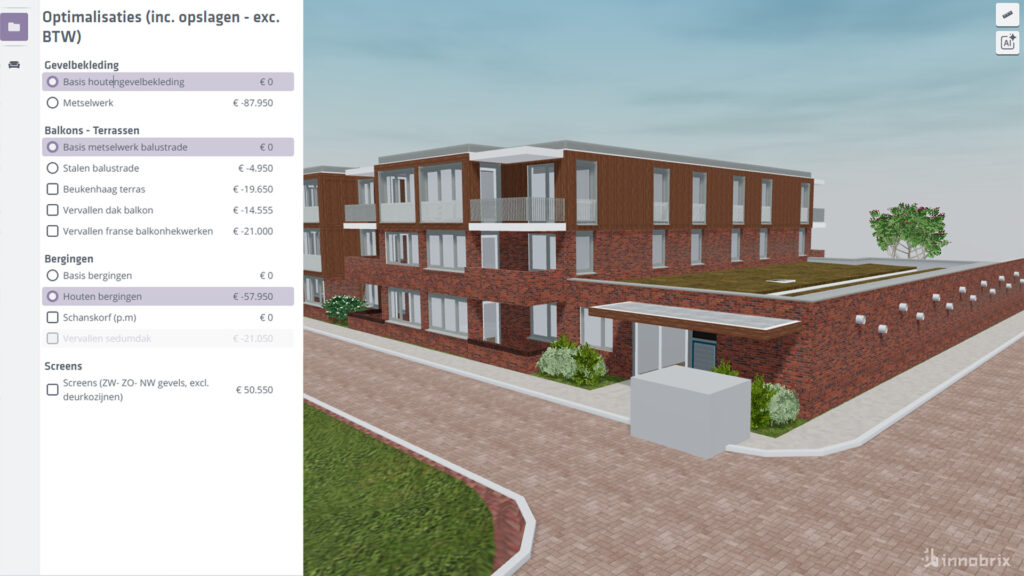
Innobrix
Innobrix is a web-based 3D platform for construction and real estate, built around the motto “See first. Then build.” Import your existing 3D and BIM models and choose which components to make configurable, from houses and apartments to schools, kitchens, and staircases. You manage options and selection logic without any coding. Through a real-time API, you connect the platform to systems such as CRM, ERP, estimating software, and your website.
- Works with existing 3D and BIM models
- Shortens selection and sales processes
- Connects commercial and technical information
- Makes configurations visible in real time
Cylindo Modular Designer
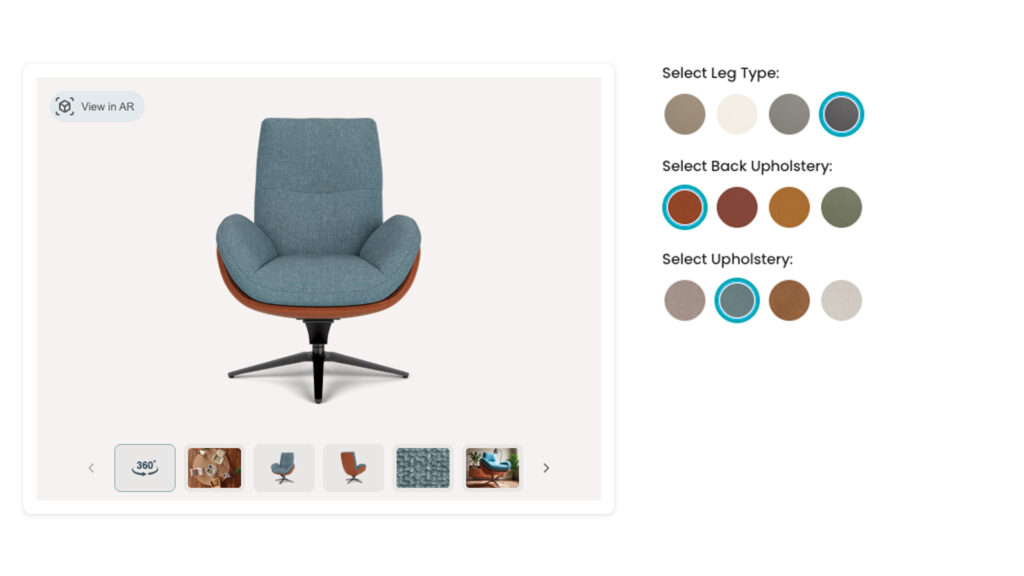
Cylindo Modular Designer, part of Chaos, brings real-time 3D product configuration to the product pages of your webshop. It is ideal for modular products such as sofas, shelving systems, and beds, as well as complete product sets. Customers build their own arrangement with drag-and-drop or click-and-place and see dimensions update instantly. You can use the same tool in the showroom and across your dealer network.
- Three ways to configure: Generator, Click-and-place, and Set Builder
- Dynamic dimensions while building
- 360° views and packshots in the same environment
- Configured products go into the cart with the correct SKUs
Twinmotion
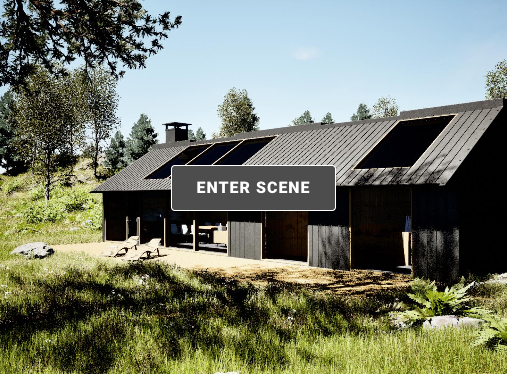
With Twinmotion, built on Unreal Engine, you can easily present design variants to clients and other stakeholders. You set up configurations with different “states”, for example, a different material, different colours, or objects that appear or disappear, and switch between variants with a single click. This is handy for design reviews, client presentations, and comparing options, from architectural scenes to products.
- Switch variants with one click via triggers in the scene
- Set materials, visibility, and properties per variant
- Works in presentation mode and in Local and Cloud Presentations
- A real-time view of your design, straight from your 3D model
Frequently asked questions
A 3D configurator is an interactive tool that lets you build, customise, and visualise a product, design, or project online in real time. Every choice, such as a different colour, fabric, or layout, is instantly visible in 3D, so you see the end result right away.
A product configurator is the broader term for tools that let users select and combine options. A 3D configurator adds a visual layer: your choices appear immediately in a real-time 3D model instead of only in dropdown menus or a price summary.
Anyone who sells or presents variants. That includes architects, builders, property developers, and housing associations, as well as furniture brands, manufacturers, and product designers.
A configurator drives higher conversion, more upselling and cross-selling, lower costs, and a more efficient sales and design process. Customers understand their choices faster, which helps them decide sooner.
Hesitation often comes from customers not being able to picture the end result. A configurator makes that result visible, which builds confidence and reduces delayed decisions.
Customers see right away what a premium variant or extra option looks like and costs. Matching accessories and upgrades appear at the right moment in the experience, so customers more often choose a richer option without the sales process feeling pushy.
With Innobrix, yes. You import your existing 3D and BIM models and decide which parts become configurable, so you do not need to start from scratch. With Twinmotion, you work directly from your own 3D model.
No. With Innobrix you manage options, content, and selection logic without coding, so you can adapt the configurator whenever your range or workflow changes.
Yes. Innobrix offers a real-time API that connects configurations to systems such as CRM, ERP, estimating software, your website, and customer portals. Cylindo Modular Designer makes sure configured products reach the cart with the correct SKUs and modules.
Innobrix fits construction and real estate, for example homes, commercial buildings, kitchens, bathrooms, and staircases. Cylindo Modular Designer fits modular products and product sets in an online store, such as sofas and shelving systems. Twinmotion is ideal for interactively presenting design variants to clients and stakeholders. Not sure which one suits you? We are happy to help you choose.
In Twinmotion you create variants (states) of a scene or object, for example with different materials or visible elements, and switch between them with a single click. It is mainly intended for presentations and design reviews. Innobrix and Cylindo Modular Designer are web-based configurators that let customers build their own selection.
Yes. Cylindo Modular Designer works for online stores as well as showroom staff and dealer networks, so the experience stays consistent everywhere. Innobrix also works well for sales advisors who configure together with clients.

Want to know more?
Curious which configurator best fits the way you work, or how to bring Innobrix, Cylindo Modular Designer, or Twinmotion into your workflow? With our years of experience, we are happy to help, from advice on the right solution to a strong start with your first configurator. Feel free to get in touch, and we will proactively think along with you.